2025-01-06 02:29:34
Ollama - Run and customize large language models effortlessly.
Categories
Large Language Models (LLMs)AI Developer ToolsAI Productivity Tools
Users of this tool
AI ResearchersSoftware DevelopersData ScientistsMachine Learning EngineersAI Enthusiasts
PricingType
Freemium

Links

  1. Login: https://ollama.com/signin
  2. Documentation: https://github.com/ollama/ollama/tree/main/docs

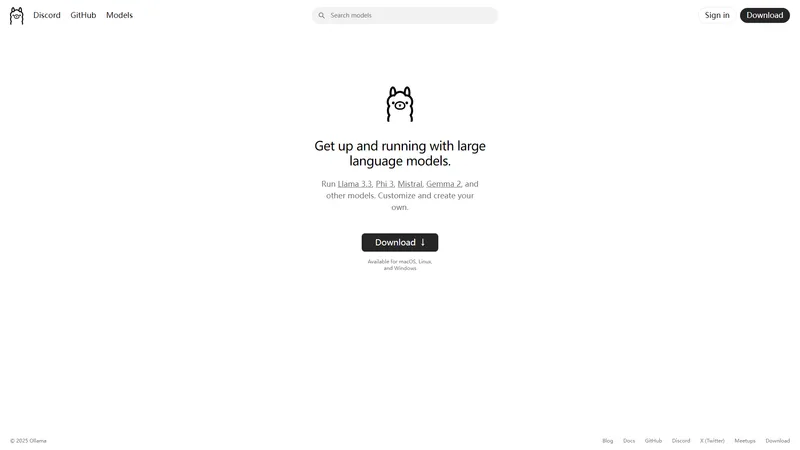
Ollama is a cutting-edge platform designed to help users get up and running with large language models (LLMs) quickly and efficiently. Whether you're a developer, researcher, or AI enthusiast, Ollama provides a seamless experience to run, customize, and create your own models. With support for popular models like Llama 3.3, Phi 3, Mistral, and Gemma 2, Ollama caters to a wide range of AI applications. The platform is available for macOS, Linux, and Windows, ensuring accessibility across different operating systems. Ollama's user-friendly interface, extensive documentation, and active community on Discord and GitHub make it a go-to resource for anyone looking to leverage the power of LLMs. Whether you're exploring pre-trained models or developing custom solutions, Ollama offers the tools and support you need to succeed in the rapidly evolving field of artificial intelligence.

Top Features

  1. Run popular large language models like Llama 3.3, Phi 3, Mistral, and Gemma 2
  2. Customize and create your own models
  3. Cross-platform support for macOS, Linux, and Windows
  4. Extensive documentation and community support
  5. Active Discord community for real-time assistance

Simple Definition of Usecases

  1. AI Researchers can use Ollama to experiment with different LLMs and compare their performance in various tasks.
  2. Software Developers can integrate Ollama's models into their applications to enhance natural language processing capabilities.
  3. Data Scientists can leverage Ollama to preprocess and analyze large datasets using advanced language models.
  4. Machine Learning Engineers can customize Ollama's models to fit specific use cases and improve model accuracy.
  5. AI Enthusiasts can explore the capabilities of different LLMs and learn about AI through hands-on experience with Ollama.

User Reviews

Aarav Patel

AI Researcher

"Ollama has been a game-changer for my AI research. The ability to run and customize models like Llama 3.3 and Mistral has significantly sped up my workflow. The documentation is thorough, and the community on Discord is incredibly helpful. I highly recommend Ollama to anyone working with large language models."

Frequently Asked Questions

Q:

What is Ollama?

A:

Ollama is a platform that allows users to run, customize, and create large language models (LLMs) like Llama 3.3, Phi 3, Mistral, and Gemma 2. It supports macOS, Linux, and Windows, making it accessible to a wide range of users.

Q:

What does Ollama offer?

A:

Ollama offers the ability to run popular LLMs, customize them for specific use cases, and create new models. It also provides extensive documentation, a supportive community on Discord, and cross-platform support.

Q:

What to expect from Ollama's community?

A:

Ollama's community is active and supportive, with real-time assistance available on Discord. Users can share knowledge, troubleshoot issues, and learn from each other's experiences.

Q:

How to get started with Ollama?

A:

To get started with Ollama, download the platform from the official website, explore the available models, and refer to the extensive documentation for guidance. Joining the Discord community can also provide additional support.

Q:

What models are available on Ollama?

A:

Ollama supports a variety of models, including Llama 3.3, Phi 3, Mistral, and Gemma 2. Users can also customize and create their own models.

Q:

Is Ollama free to use?

A:

Ollama offers a freemium model, with basic features available for free and advanced features requiring a subscription or one-time purchase.

Q:

Can I use Ollama on Windows?

A:

Yes, Ollama is available for macOS, Linux, and Windows, ensuring broad accessibility across different operating systems.

Q:

How do I customize models on Ollama?

A:

Ollama provides tools and documentation to help users customize models. The process involves selecting a base model and modifying its parameters to fit specific use cases.

Q:

What support does Ollama offer?

A:

Ollama offers extensive documentation, a supportive Discord community, and regular updates to ensure users have the resources they need to succeed.

Q:

Can I create my own models on Ollama?

A:

Yes, Ollama allows users to create and customize their own models, providing a flexible platform for AI development.

Related AI Tools

Yevideo AI - Perfect AI Video & Image Studio, Ready to Use | Top 4 AI Tool loading
Yevideo is an all-in-one AI video and AI image creation platform that aggregates multiple state-of-the-art generative AI models into a single, cohesive studio. Designed for creatives, marketers, and developers, the platform provides a streamlined and intuitive workflow for transforming text prompts, images, and reference videos into high-quality visual content. Yevideo distinguishes itself by not just exposing raw AI models, but by curating them with clear use-case recommendations, estimated credit costs, and an integrated workspace that simplifies the creative process. The platform supports an extensive range of tasks including text-to-image, image-to-image, text-to-video, image-to-video, video-to-video, and AI video editing. Users can generate content using models like Google's Veo 3.1 and Gemini Omni Video, ByteDance's Seedance 2.0, Kuaishou's Kling 3.0, and image models like Google's Nano Banana Pro and OpenAI's GPT Image 2. The introduction of a 'Gemini Omni Video' model, which leverages Gemini's world knowledge and physics reasoning, underscores Yevideo's commitment to integrating the most advanced capabilities. A key feature for new users is the welcome bonus of free credits, allowing them to test the platform without immediate financial commitment. For professional users, Yevideo offers a practical and efficient alternative to using multiple, disparate AI tools, centralizing project management, credit tracking, and output history. The platform's pricing operates on a credit-based system, where each generation (image or video) consumes a specific amount of credits based on the complexity and model chosen. This credits system provides a pay-per-use feel, ensuring users only pay for what they generate. Yevideo also explicitly grants commercial usage rights to paid subscribers, making it a viable tool for businesses creating marketing assets, social media content, and product visuals. The platform's user interface is designed to be intuitive, with clear model cards that outline each model's strengths, such as 'Best for motion imitation' or 'Best for text rendering in images'. This guided approach helps users select the right tool for their specific task, reducing the learning curve typically associated with advanced AI generation. Furthermore, Yevideo includes a 'daily check-in' feature and feedback rewards, encouraging community engagement and providing ongoing value to its user base. The platform actively seeks user feedback to refine its offerings and has a visible roadmap for future features like an invite program. By aggregating diverse AI models under one roof and providing a seamless, integrated user experience, Yevideo positions itself as the definitive solution for anyone looking to harness the power of AI for visual content creation.
AI Video Generator
Freemium
AI Facefy | Top 4 AI Tool loading
AI Facefy is a cutting-edge platform that offers free and secure online face swapping services. Utilizing advanced artificial intelligence, AI Facefy enables users to seamlessly swap faces in photos and videos, creating realistic and entertaining content. Whether you're looking to create fun memes, engage in cosplay, or enhance your social media presence, AI Facefy provides a user-friendly interface and quick processing times. The platform ensures privacy by deleting uploaded photos within 24 hours and offers high-quality output with natural facial expressions. With features like seamless face replacement, creative possibilities, and support for various media formats, AI Facefy is a versatile tool for both casual users and content creators. Discover the endless creative opportunities and transform your images and videos with AI Facefy today.
AI Face Swap Generator
Freemium
Mistral AI - Frontier AI in your hands | Top 4 AI Tool loading
Mistral AI is a leading provider of frontier AI technology, offering configurable AI solutions for all builders. With world-class, benchmark-setting open models, Mistral AI empowers users to customize, distill, fine-tune, iterate, and build on their AI capabilities. The platform is designed to be private and portable, with enterprise-grade deployment options available on-premises, cloud, edge, devices, and data centers. Mistral AI is committed to transparency and trustworthiness, being the strongest global contributor to open source AI and AI policy. The company also provides deeply engaged solutioning and value delivery, with hands-on assistance from the world’s best AI engineers and scientists. Mistral AI’s delightful interfaces bring frontier intelligence to life with intuitive user experiences across life and work. Whether you’re looking to get work done with a personalized multilingual AI assistant, code faster with coding assistance across 80+ languages, or build AI-powered apps with frontier models, Mistral AI has the tools and expertise to help you succeed. Discover the future of secure, private AI with Mistral AI.
AI Voice Assistants
Subscription
PocketPal AI | Top 4 AI Tool loading
PocketPal AI is a revolutionary mobile application that brings the power of small language models (SLMs) directly to your phone. Designed for both iOS and Android, this app allows users to interact with various SLMs without the need for an internet connection. Whether you're a developer, researcher, or just an AI enthusiast, PocketPal AI offers a seamless experience for running and experimenting with language models on your device. The app features offline AI assistance, model flexibility, auto offload/load functionality, customizable inference settings, and real-time performance metrics. With a user-friendly interface and robust features, PocketPal AI is your go-to tool for exploring the capabilities of small language models on the go.
AI Developer Tools
Free
Monica - Personalized, fast, and free AI assistant. | Top 4 AI Tool loading
Monica is an all-in-one AI assistant leveraging cutting-edge AI models like OpenAI o3-mini, DeepSeek R1, GPT-4o, Claude 3.7, and Gemini 2.0 to enhance your chat, search, writing, and coding experiences. Available as a browser extension for Chrome and Edge, as well as a mobile and desktop app, Monica offers a seamless and intuitive interface to streamline your daily tasks. With features like AI chat, AI summary, AI writer, AI search, AI translator, and AI art, Monica is designed to be your go-to assistant for both personal and professional use. Trusted by 10 million users worldwide, Monica provides a lightweight and automated solution to optimize your workflow and make your life more efficient.
AI Productivity Tools
Freemium
TEN-Agent | Top 4 AI Tool loading
TEN Agent is a world-class multimodal AI agent integrated with the OpenAI Realtime API, RTC, and features weather checks, web search, vision, and RAG. It achieves ultra-low latency through the OpenAI Realtime API and ensures smooth, high-quality interactions with RTC's AI noise suppression. Additionally, the seamless integration of weather and news tools makes TEN Agent even more versatile. TEN Agent supports multi-language and multi-platform extension development in C++, Go, Python, etc., and runs on Windows, Mac, Linux, and mobile devices. It flexibly combines edge and cloud-deployed extensions, balancing privacy, cost, and performance. Easily build complex AI applications through simple drag-and-drop programming, integrating audio-visual tools, databases, RAG, and more. Real-time agent state management adjusts agent behavior dynamically for responsive interactions. TEN Agent offers a range of ready-to-use extensions, allowing users to easily create, connect, and edit extensions via the Graph Designer on the canvas.
AI Developer Tools
Freemium
AI Server | Top 4 AI Tool loading
AI Server is an open-source AI server that provides a unified API for integrating various AI models and services, including LLM APIs, Ollama, ComfyUI, and FFmpeg. It offers a self-hosted private gateway to manage access to multiple AI APIs, making it an ideal solution for organizations looking to centralize their AI integrations. With native typed integrations for popular programming languages, live monitoring and analytics, and built-in UIs for various AI features, AI Server simplifies the process of incorporating AI into your applications. Whether you're a developer looking to integrate AI into your system apps or an admin managing AI providers, AI Server provides the tools and flexibility you need.
AI Developer Tools
Free
Cline - Autonomous coding agent in your IDE | Top 4 AI Tool loading
Cline is an advanced AI assistant designed to integrate seamlessly into your development environment, offering a suite of tools to enhance productivity and streamline complex software development tasks. Leveraging the capabilities of Claude 3.5 Sonnet, Cline can perform a variety of functions, from creating and editing files to executing terminal commands and using the browser for interactive debugging. This extension is particularly valuable for developers working on large, complex projects, as it can analyze file structures, source code ASTs, and run regex searches to get up to speed quickly. Cline's ability to monitor linter/compiler errors and react to dev server issues in real-time ensures that your code remains clean and functional. Additionally, Cline supports a wide range of API providers, including OpenRouter, Anthropic, OpenAI, Google Gemini, AWS Bedrock, Azure, and GCP Vertex, allowing you to use the latest models and tools. The extension also provides detailed tracking of API usage costs, keeping you informed of your spend every step of the way. With features like the Model Context Protocol (MCP), Cline can extend its capabilities through custom tools tailored to your specific workflow, making it a versatile and indispensable tool for modern software development.
AI Code Assistant
Freemium

Frequently Asked Questions

What is MaoMaoYu Top4 AI Tools Directory?

Top 4 AI — '4' means 'For', MaoMaoYu Top For AI Tools Directory - top4ai.com is building an ai tools directory that helps you get your favorite ai tools, free ai tools list. It can get best ai writing tools, best free ai tools for writing articles, content at scale ai detector, best ai email marketing tools, ai paraphrasing tools, best ai seo tools, ai study tools, 'pearson' and 'ai' and 'study tools', ai generator tools, ai hashtags generator tools, best ai tools for research, ai art tools, ai music tools, ai video editing tools, ai pair coding tools, ai photo tools, ai tools for detecting photoshopped imagers, best ai tools for start up companies who are researching their market and more here.

How to found your ai tools in MaoMaoYu Top4 AI tools directory?

1. Open top4ai.com.

2. Explore the ai tools in the MaoMaoYu Top4 AI tools directory.

3. Click the ai tools that you need to get the detail and visit it.

What are the main features of MaoMaoYu Top4 AI Tools Directory?

1. Explore a simple definition of AI tools and discover how to fast find the perfect one for your needs. Streamline your workflow with the right AI solution.

2. Intelligent Search Engine: Thinking of what you think, saving you time, saving you trouble

Is it free to submit ai tools to MaoMaoYu Top4 AI Tools Directory?

Yes, it's free currently.

What's the categories list of AI Tools that MaoMaoYu Top4 AI Tools Directory support?

We will support all kinds of AI Tools later. Please wait for a few days.

What's the frequency for the up of AI tools in MaoMaoYu Top4 AI Directory?

The list of AI tools will be updated daily.

Is it support QuillBot, GPT-4o or Sora AI here?

You can get the QuillBot, GPT-4o or Sora AI tool here. Here is the introduction of GPT-4o and Sora video, and you can visit the website of the tools.

Troubleshooting

If the content aren't appearing, try a different browser, clear your cache. If issues persist, contact us at support@top4ai.com | support@maomaoyu.coffee.

What are the usage rights of the AI tools?

MaoMaoYu Top4 AI Tools Directory is just the AI Directory for AI tools. The usage rights of the AI tools are based on the AI tools' website.