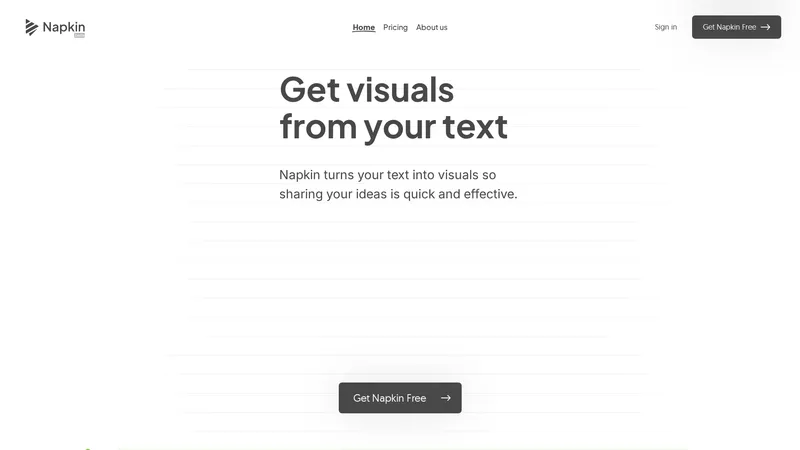
Napkin AI is a visual AI tool designed to enhance business storytelling by transforming text into engaging visuals. Whether you're creating presentations, blog posts, social media content, or documentation, Napkin AI makes it easy to generate infographics, diagrams, flowcharts, and more. The platform is intuitive and efficient, allowing users to paste their text and instantly receive relevant visuals. With features like editable icons, decorators, connectors, and color schemes, Napkin AI ensures that your visuals are not only impactful but also fully customizable. The tool supports various export formats, including PNG, PDF, and SVG, making it versatile for different use cases. Napkin AI is particularly useful for professionals who need to communicate complex ideas quickly and effectively. Its seamless integration with desktop environments ensures a smooth user experience, while its mobile compatibility allows for easy viewing of created visuals. Napkin AI is currently in beta, offering a free Pro plan, making it an accessible option for individuals and teams looking to elevate their visual content.
Top Features
Text-to-visual transformation
Editable icons and decorators
Dynamic connectors
Customizable color schemes
Export to PNG, PDF, and SVG
Simple Definition of Usecases
Creating impactful presentations with auto-generated infographics
Enhancing blog posts with visually engaging diagrams
Engaging social media audiences with dynamic visuals
Writing easy-to-read documentation with integrated charts
Developing professional slides for business meetings
User Reviews
Nicolás
Project Manager
★★★★★
"As a Project Manager, I’ve found Napkin AI immensely helpful in my professional development. I often use it to create presentations or generate visual ideas based on my own concepts, and it’s been a game-changer for me."
Nicolás
Project Manager
★★★★★
"As a Project Manager, I’ve found Napkin AI immensely helpful in my professional development. I often use it to create presentations or generate visual ideas based on my own concepts, and it’s been a game-changer for me."
Emma Farquharson
Professor
★★★★★
"I recently used Napkin AI to create visuals for a LinkedIn article, and I was impressed by how seamless the process was. The results were not only visually engaging but also aligned with the professional standards I aim to maintain."
Eric Layland
Growth Marketing Leader
★★★★★
"I've literally been waiting years for a tool like Napkin AI. I love and use business diagrams ALL THE TIME, but I'm horrible at creating them and dislike most of the Powerpoint options. Happy that there's a new tool in town for biz diagramming!"
Paul Penfold
School Administrator
★★★★★
"Napkin AI is so very useful for teaching and other purposes, especially in my case, to provide visuals that bring textual ideas to life. I am finding it invaluable already, and will be promoting it to our school district."
Bhavani Kola
Founder
★★★★★
"I am obsessed with Napkin AI. I’m always on the lookout for tools that enhance creativity, streamline workflows, and help communicate ideas effectively—and Napkin AI absolutely nails it. The intuitive design and functionality make it a game-changer."
Frequently Asked Questions
Q:
What is special about Napkin AI?
A:
Napkin AI helps you transform your existing text content into visuals like diagrams, charts, scenes, and images. Think of it as having a personal visual expert right at your fingertips, ready to bring your ideas to life.
Q:
Is Napkin AI free to use?
A:
Yes, Napkin AI offers a free plan with some limitations on quotas and customization features. While we are in beta, you can enjoy the Pro plan for free!
Q:
Can I use Napkin AI on mobile?
A:
Napkins can be viewed on mobile. However, we believe that the best Napkin editing experience is on desktop. That's where your text lives and you're easily able to edit visuals using the mouse and keyboard.
Q:
How do I write prompts in Napkin AI?
A:
You do not need to write prompts to use Napkin AI. Simply write or paste your text content into Napkin and click [Spark icon] to generate your visuals.
Q:
Is Napkin AI a document editor like Google Docs or an image generator like DALLE?
A:
Napkin AI is designed to transform text into visuals, so the platform works like a doc editor with native visual generation and visual editing tools. You can write, generate and edit in the same platform.
Editaimg is a powerful, intuitive AI image editor designed to streamline your photo editing workflow. Whether you need to remove backgrounds, clean up unwanted objects, upscale resolution, or apply creative style transformations, this tool makes it easy and fast. With a simple drag-and-drop interface and a prompt-based editing system, you can achieve professional results without any prior photo editing skills. The platform is lightweight and offers a seamless experience, from importing your image to downloading the final result. It is designed for both casual users and professionals who need an efficient, practical solution for everyday image tasks. By integrating advanced AI, Editaimg simplifies complex edits, helping you reduce time spent on manual adjustments. The tool is perfect for e-commerce product photography, social media content creation, and personal photo enhancement. With no subscription required and a credit-based pricing model, it offers flexibility and value. The AI handles everything from object replacement to text editing, making it a versatile tool for anyone looking to optimize their visual content.
Yevideo is an all-in-one AI video and AI image creation platform that aggregates multiple state-of-the-art generative AI models into a single, cohesive studio. Designed for creatives, marketers, and developers, the platform provides a streamlined and intuitive workflow for transforming text prompts, images, and reference videos into high-quality visual content. Yevideo distinguishes itself by not just exposing raw AI models, but by curating them with clear use-case recommendations, estimated credit costs, and an integrated workspace that simplifies the creative process. The platform supports an extensive range of tasks including text-to-image, image-to-image, text-to-video, image-to-video, video-to-video, and AI video editing. Users can generate content using models like Google's Veo 3.1 and Gemini Omni Video, ByteDance's Seedance 2.0, Kuaishou's Kling 3.0, and image models like Google's Nano Banana Pro and OpenAI's GPT Image 2. The introduction of a 'Gemini Omni Video' model, which leverages Gemini's world knowledge and physics reasoning, underscores Yevideo's commitment to integrating the most advanced capabilities. A key feature for new users is the welcome bonus of free credits, allowing them to test the platform without immediate financial commitment. For professional users, Yevideo offers a practical and efficient alternative to using multiple, disparate AI tools, centralizing project management, credit tracking, and output history. The platform's pricing operates on a credit-based system, where each generation (image or video) consumes a specific amount of credits based on the complexity and model chosen. This credits system provides a pay-per-use feel, ensuring users only pay for what they generate. Yevideo also explicitly grants commercial usage rights to paid subscribers, making it a viable tool for businesses creating marketing assets, social media content, and product visuals. The platform's user interface is designed to be intuitive, with clear model cards that outline each model's strengths, such as 'Best for motion imitation' or 'Best for text rendering in images'. This guided approach helps users select the right tool for their specific task, reducing the learning curve typically associated with advanced AI generation. Furthermore, Yevideo includes a 'daily check-in' feature and feedback rewards, encouraging community engagement and providing ongoing value to its user base. The platform actively seeks user feedback to refine its offerings and has a visible roadmap for future features like an invite program. By aggregating diverse AI models under one roof and providing a seamless, integrated user experience, Yevideo positions itself as the definitive solution for anyone looking to harness the power of AI for visual content creation.
AI Facefy is a cutting-edge platform that offers free and secure online face swapping services. Utilizing advanced artificial intelligence, AI Facefy enables users to seamlessly swap faces in photos and videos, creating realistic and entertaining content. Whether you're looking to create fun memes, engage in cosplay, or enhance your social media presence, AI Facefy provides a user-friendly interface and quick processing times. The platform ensures privacy by deleting uploaded photos within 24 hours and offers high-quality output with natural facial expressions. With features like seamless face replacement, creative possibilities, and support for various media formats, AI Facefy is a versatile tool for both casual users and content creators. Discover the endless creative opportunities and transform your images and videos with AI Facefy today.
Instant 3D AI is a cutting-edge platform designed to revolutionize the way creators and designers bring their ideas to life. By leveraging advanced artificial intelligence, Instant 3D AI allows users to transform simple images into detailed, high-quality 3D models in a matter of seconds. Trusted by over 1,400 creators and boasting an impressive 4.8/5 rating, the platform has already generated 250 models today alone. Whether you're a professional designer, a hobbyist, or a business looking to enhance your digital presence, Instant 3D AI offers a seamless and intuitive experience. With features like instant model generation, easy image upload, and a user-friendly interface, Instant 3D AI is the go-to solution for anyone looking to create stunning 3D models effortlessly. The platform supports various pricing models, including a free trial, making it accessible to users of all levels. Explore the future of 3D modeling with Instant 3D AI and unlock your creative potential today.
Free AI Translator is a state-of-the-art platform designed to revolutionize global communication by leveraging advanced AI and neural machine translation technology. This tool empowers users to effortlessly translate daily conversations, technical documents, and more into native-quality language, enhancing cross-cultural interactions worldwide. With support for over 100 languages, including English, Arabic, Chinese, French, and Spanish, the platform ensures accurate and culturally relevant translations. Beyond translation, Free AI Translator offers multi-format support, enabling users to translate texts, documents, images, and audio files such as PDFs, Word documents, PNGs, and MP3s. Additionally, the platform provides AI-powered grammar tools, writing refinement, and language learning features to support academic and professional excellence. The service is accessible to everyone, with a free plan offering 30 daily translations and premium plans tailored for professionals and businesses. Whether you're a student, educator, or enterprise, Free AI Translator is your go-to solution for seamless and efficient language translation and content enhancement.
The AI Avatar Generator is a cutting-edge platform that transforms your photos and videos into realistic talking AI avatars with natural expressions and lip-sync. This ready-to-use tool supports multi-language content creation, making it the most efficient solution for creating personalized avatar videos. Whether you need a professional presence, corporate training, or social media marketing, our AI avatar generator simplifies the process, offering a convenient and practical way to bring your ideas to life. With advanced features like realistic lip-sync technology, custom AI avatar creation, and professional text-to-speech, you can create engaging content in minutes. Start your free trial today and experience the magic of AI avatar generation.
AI Art Generator: Photo, Draw is a cutting-edge mobile application designed to unleash your creativity by transforming your ideas and photos into stunning AI-generated artworks. Whether you're looking to design a unique logo, create a personalized avatar, or turn your photos into masterpieces, this app offers a wide range of features to cater to your artistic needs. With advanced AI technology, you can generate art in various styles, including 3D rendering, anime, sketching, and realism. The app also includes AI face swap and avatar creation tools, allowing you to explore endless creative possibilities. AI Art Generator is perfect for artists, designers, social media enthusiasts, and anyone looking to add a touch of creativity to their digital content. The app is free to download, with optional in-app purchases for premium features and subscriptions.
JustDance is the leading AI dance video generator that empowers anyone to transform a simple photo, text prompt, or existing video into a captivating dance clip. Powered by ByteDance's Seedance 2 and MiniMax-Hailuo AI, this tool delivers professional-quality, realistic dance animations with over 50 styles and 4K export capabilities. Designed for both beginners and seasoned creators, JustDance eliminates the need for video editing skills, offering a streamlined 3-step process: upload, select a style, and generate. With over 10,000 AI dance videos created and 5,000 active creators, it's the most efficient way to produce viral-ready content for TikTok, Instagram, and YouTube. The platform's core features include image-to-video, text-to-video, and video-to-video transformation, each optimized for accurate pose detection, natural motion, and cinematic aesthetics. Whether you're a social media influencer looking to stand out, a marketing team seeking cost-effective content, or a pet owner wanting a fun dance clip, JustDance provides a practical, intuitive, and lightweight solution that saves time and boosts creativity. Its user experience is seamless, with a clean interface that guides you through each step, and technical features like 4K resolution, monthly style updates, and privacy protection ensure high-quality results. JustDance is not just a tool; it's a gateway to effortless creativity, making dance content accessible to everyone.
AI Music Video Generator
Freemium
Frequently Asked Questions
What is MaoMaoYu Top4 AI Tools Directory?
Top 4 AI — '4' means 'For', MaoMaoYu Top For AI Tools Directory - top4ai.com is building an ai tools directory that helps you get your favorite ai tools, free ai tools list. It can get best ai writing tools, best free ai tools for writing articles, content at scale ai detector, best ai email marketing tools, ai paraphrasing tools, best ai seo tools, ai study tools, 'pearson' and 'ai' and 'study tools', ai generator tools, ai hashtags generator tools, best ai tools for research, ai art tools, ai music tools, ai video editing tools, ai pair coding tools, ai photo tools, ai tools for detecting photoshopped imagers, best ai tools for start up companies who are researching their market and more here.
How to found your ai tools in MaoMaoYu Top4 AI tools directory?
1. Open top4ai.com.
2. Explore the ai tools in the MaoMaoYu Top4 AI tools directory.
3. Click the ai tools that you need to get the detail and visit it.
What are the main features of MaoMaoYu Top4 AI Tools Directory?
1. Explore a simple definition of AI tools and discover how to fast find the perfect one for your needs. Streamline your workflow with the right AI solution.
2. Intelligent Search Engine: Thinking of what you think, saving you time, saving you trouble
Is it free to submit ai tools to MaoMaoYu Top4 AI Tools Directory?
Yes, it's free currently.
What's the categories list of AI Tools that MaoMaoYu Top4 AI Tools Directory support?
We will support all kinds of AI Tools later. Please wait for a few days.
What's the frequency for the up of AI tools in MaoMaoYu Top4 AI Directory?
The list of AI tools will be updated daily.
Is it support QuillBot, GPT-4o or Sora AI here?
You can get the QuillBot, GPT-4o or Sora AI tool here. Here is the introduction of GPT-4o and Sora video, and you can visit the website of the tools.
Troubleshooting
If the content aren't appearing, try a different browser, clear your cache. If issues persist, contact us at support@top4ai.com | support@maomaoyu.coffee.
What are the usage rights of the AI tools?
MaoMaoYu Top4 AI Tools Directory is just the AI Directory for AI tools. The usage rights of the AI tools are based on the AI tools' website.
