2024-12-10 08:09:37
Google Maps Extended Routes Extension | Boost your routes planning
Categories
ตัววางแผนการเดินทาง AIเครื่องกำเนิดแผนที่ AI
Users of this tool
Cyclists who need to plan long and complex routes.Motorbikers looking for optimized multi-stop routes.Travelers who need to export routes to various navigation services.Outdoor enthusiasts who require detailed route planning.Delivery drivers needing efficient multi-stop route optimization.
PricingType
Freemium

Links

  1. Documentation: https://gmaps-extended-routes.pages.dev/features.html

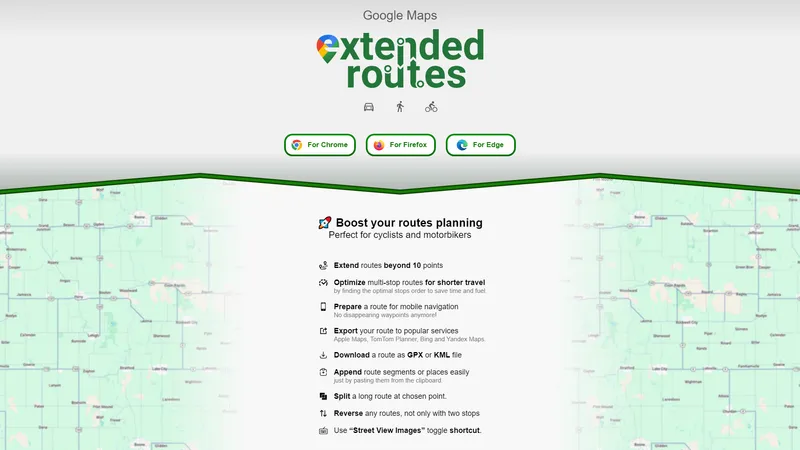
Google Maps Extended Routes Extension is a powerful tool designed to enhance your route planning experience on Google Maps. Whether you're a cyclist, motorbiker, or anyone needing to plan complex routes, this extension offers a range of features to make your journey smoother and more efficient. From extending routes beyond the standard 10 points limit to optimizing multi-stop routes for shorter travel, this extension is perfect for those who need more control and flexibility in their route planning. Additionally, it allows you to export routes to popular services like Apple Maps, TomTom Planner, Bing, and Yandex Maps, and download routes as GPX or KML files for offline use. With features like appending route segments, splitting long routes, and reversing any route, this extension is a must-have for anyone who frequently plans routes on Google Maps.

Top Features

  1. Extend routes beyond 10 points.
  2. Optimize multi-stop routes for shorter travel.
  3. Prepare a route for mobile navigation with persistent waypoints.
  4. Export routes to popular services like Apple Maps, TomTom Planner, Bing, and Yandex Maps.
  5. Download routes as GPX or KML files.
  6. Append route segments or places easily by pasting from the clipboard.
  7. Split a long route at a chosen point.
  8. Reverse any route, not just those with two stops.
  9. Use the “Street View Images” toggle shortcut for quick access.

Simple Definition of Usecases

  1. A cyclist planning a long-distance ride needs to add more than 10 waypoints to their route. They use the 'Extend routes beyond 10 points' feature to add all necessary stops and ensure a smooth journey.
  2. A motorbiker wants to optimize their multi-stop route to save time and fuel. They use the 'Optimize multi-stop routes for shorter travel' feature to find the optimal order of stops.
  3. A traveler needs to export their route to Apple Maps for navigation on their mobile device. They use the 'Export your route to popular services' feature to seamlessly transfer their route.
  4. An outdoor enthusiast wants to download their route as a GPX file for offline use. They use the 'Download a route as GPX or KML file' feature to save their route for later use.
  5. A delivery driver needs to append additional stops to their existing route. They use the 'Append route segments or places easily' feature to quickly add new stops from the clipboard.

Frequently Asked Questions

Q:

Can I extend my route beyond the standard 10 points limit?

A:

Yes, the 'Extend routes beyond 10 points' feature allows you to add more waypoints to your route.

Q:

How do I optimize my multi-stop route for shorter travel?

A:

You can use the 'Optimize multi-stop routes for shorter travel' feature to find the optimal order of stops.

Q:

Can I export my route to other navigation services?

A:

Yes, you can export your route to popular services like Apple Maps, TomTom Planner, Bing, and Yandex Maps.

Q:

How do I download my route for offline use?

A:

You can download your route as a GPX or KML file using the 'Download a route as GPX or KML file' feature.

Q:

Can I append additional stops to my existing route?

A:

Yes, you can easily append route segments or places by pasting them from the clipboard.

Related AI Tools

Yevideo AI - Perfect AI Video & Image Studio, Ready to Use | Top 4 AI Tool loading
Yevideo is an all-in-one AI video and AI image creation platform that aggregates multiple state-of-the-art generative AI models into a single, cohesive studio. Designed for creatives, marketers, and developers, the platform provides a streamlined and intuitive workflow for transforming text prompts, images, and reference videos into high-quality visual content. Yevideo distinguishes itself by not just exposing raw AI models, but by curating them with clear use-case recommendations, estimated credit costs, and an integrated workspace that simplifies the creative process. The platform supports an extensive range of tasks including text-to-image, image-to-image, text-to-video, image-to-video, video-to-video, and AI video editing. Users can generate content using models like Google's Veo 3.1 and Gemini Omni Video, ByteDance's Seedance 2.0, Kuaishou's Kling 3.0, and image models like Google's Nano Banana Pro and OpenAI's GPT Image 2. The introduction of a 'Gemini Omni Video' model, which leverages Gemini's world knowledge and physics reasoning, underscores Yevideo's commitment to integrating the most advanced capabilities. A key feature for new users is the welcome bonus of free credits, allowing them to test the platform without immediate financial commitment. For professional users, Yevideo offers a practical and efficient alternative to using multiple, disparate AI tools, centralizing project management, credit tracking, and output history. The platform's pricing operates on a credit-based system, where each generation (image or video) consumes a specific amount of credits based on the complexity and model chosen. This credits system provides a pay-per-use feel, ensuring users only pay for what they generate. Yevideo also explicitly grants commercial usage rights to paid subscribers, making it a viable tool for businesses creating marketing assets, social media content, and product visuals. The platform's user interface is designed to be intuitive, with clear model cards that outline each model's strengths, such as 'Best for motion imitation' or 'Best for text rendering in images'. This guided approach helps users select the right tool for their specific task, reducing the learning curve typically associated with advanced AI generation. Furthermore, Yevideo includes a 'daily check-in' feature and feedback rewards, encouraging community engagement and providing ongoing value to its user base. The platform actively seeks user feedback to refine its offerings and has a visible roadmap for future features like an invite program. By aggregating diverse AI models under one roof and providing a seamless, integrated user experience, Yevideo positions itself as the definitive solution for anyone looking to harness the power of AI for visual content creation.
เครื่องกำเนิดวิดีโอ AI
Freemium
Google Drive Video Editor - แก้ไขวิดีโอใน Google Drive ได้อย่างง่ายดาย | Top 4 AI Tool loading
Google Drive Video Editor เป็นเครื่องมือที่พร้อมใช้งานและมีประสิทธิภาพสำหรับการแก้ไขวิดีโอโดยตรงใน Google Drive ด้วยความสามารถในการปรับความสว่าง, ความคมชัด, การตัด, การหมุน, และการลบข้อมูลเมตา, เครื่องมือนี้ช่วยให้คุณสามารถแก้ไขวิดีโอได้อย่างรวดเร็วและมีประสิทธิภาพ นอกจากนี้ยังมีความสามารถในการคัดลอกและวางการตั้งค่าการแก้ไขเพื่อประหยัดเวลาและเพิ่มประสิทธิภาพในการทำงาน ไม่มีลายน้ำและข้อมูลของคุณจะไม่ถูกเก็บรวบรวม, ทำให้คุณมั่นใจได้ในความเป็นส่วนตัวและความปลอดภัยของข้อมูล
โปรแกรมแก้ไขวิดีโอ AI
Subscription
Editaimg - โปรแกรมแก้ไขรูปภาพด้วย AI ที่ง่ายที่สุด | Top 4 AI Tool loading
editaimg คือโปรแกรมแก้ไขรูปภาพด้วย AI ที่ออกแบบมาเพื่อให้ทุกคนสามารถสร้างผลงานระดับมืออาชีพได้อย่าง **ง่ายดาย** และ **มีประสิทธิภาพ** โดยไม่ต้องมีทักษะด้านการออกแบบมาก่อน เพียงอัปโหลดรูปภาพและพิมพ์คำอธิบายสิ่งที่คุณต้องการลงในช่องคำสั่ง AI ของเราจะจัดการส่วนที่เหลือให้คุณทันที ไม่ว่าจะเป็นการลบพื้นหลัง การลบวัตถุที่ไม่ต้องการ การปรับขนาดความละเอียด การเปลี่ยนสไตล์ หรือการเพิ่มบุคคลลงในรูปภาพ editaimg มอบเครื่องมือที่ครบครันในที่เดียว เว็บไซต์นี้มุ่งเน้นการทำให้การทำงานกับรูปภาพ **Streamline** มากที่สุด โดยมีฟีเจอร์ที่ **Practical** และ **Concise** เช่น การลบลายน้ำ Gemini, การแปลข้อความในรูปภาพเป็นกว่า 130 ภาษา, การสร้างภาพจูบด้วย AI (AI Kiss Generator), การเพิ่มหิมะเสมือนจริง และการแทนที่ข้อความในภาพโดยคงรูปแบบดั้งเดิมไว้ จุดเด่นของ editaimg คือความ **Simple** ที่ไม่ต้องสมัครสมาชิก สามารถซื้อเครดิตแบบครั้งเดียว (One-time Payment) และใช้ได้ตลอดไปโดยเครดิตไม่มีวันหมดอายุ ซึ่งเหมาะอย่างยิ่งสำหรับผู้ที่ต้องการเครื่องมือที่ **Ready to use** ได้ทันที **การวางตำแหน่งเว็บไซต์:** editaimg วางตำแหน่งตัวเองเป็นเครื่องมือ AI สำหรับมวลชน (Mass-market AI tool) ที่เน้นการใช้งานที่สะดวก รวดเร็ว และไม่ซับซ้อน แตกต่างจากโปรแกรมแก้ไขภาพแบบดั้งเดิม (เช่น Photoshop) ที่มีขั้นตอนมากมาย editaimg เน้นการเปลี่ยนคำสั่งภาษาให้เป็นภาพจริงในไม่กี่วินาที **กลุ่มเป้าหมาย:** กลุ่มเป้าหมายหลักคือ ผู้สร้างเนื้อหา (Content Creator), นักการตลาดออนไลน์, เจ้าของธุรกิจ E-commerce, นักเรียนนักศึกษา, และผู้ใช้ทั่วไปที่ต้องการแก้ไขรูปภาพอย่างรวดเร็วโดยไม่ต้องเรียนรู้ซอฟต์แวร์ที่ซับซ้อน **ฟีเจอร์หลัก:** * **AI Image Editor หลัก:** แก้ไขรูปภาพด้วยคำสั่งภาษา (Prompt-based editing) * **ลบพื้นหลัง:** ลบพื้นหลังออกและเปลี่ยนเป็นสีขาวหรือพื้นหลังอื่นๆ ได้อัตโนมัติ * **ลบวัตถุ/คน:** ลบวัตถุหรือบุคคลที่ไม่ต้องการออกจากภาพอย่างชาญฉลาด * **ปรับขนาดความละเอียด (Upscale):** เพิ่มความละเอียดของภาพให้คมชัดยิ่งขึ้น * **เปลี่ยนสไตล์ (Style Transform):** เปลี่ยนรูปแบบภาพ เช่น การ์ตูน, สีน้ำมัน, หรือภาพยนตร์ * **เครื่องมือพิเศษ:** AI Kiss Generator, Gemini Watermark Remover, Image Text Editor, AI Image Translator, AI Snow, Add Someone to Photo **ลักษณะเนื้อหา:** เนื้อหาบนเว็บไซต์เน้นการสาธิตการใช้งานทีละขั้นตอน (Tutorial) อย่างชัดเจน และมีตัวอย่าง Before/After ที่เห็นผลชัดเจน เพื่อให้ผู้ใช้เข้าใจถึงความสามารถของเครื่องมือได้ทันที นอกจากนี้ยังมีบล็อกที่ให้ **Tips and Tricks** และคำแนะนำเพิ่มเติมเพื่อให้ได้ผลลัพธ์ที่ดีที่สุด **ประสบการณ์ผู้ใช้ (UX):** หน้าเว็บออกแบบให้ใช้งานง่าย เน้นพื้นที่สำหรับอัปโหลดภาพและช่องคำสั่งเป็นหลัก ผู้ใช้สามารถลากและวาง (Drag & Drop) รูปภาพลงในพื้นที่ที่กำหนด หรือคลิกเพื่อเลือกไฟล์ ขั้นตอนการทำงานมีเพียง 4 ขั้นตอน: อัปโหลดภาพ -> พิมพ์คำสั่ง -> เลือกการตั้งค่า -> กดปุ่ม 'Edit' เพื่อรับผลลัพธ์ ซึ่งออกแบบมาเพื่อ **Optimize** เวลาในการทำงานของผู้ใช้ให้มากที่สุด **ลักษณะทางเทคนิค:** editaimg ทำงานผ่านเบราว์เซอร์ (Cloud-based) โดยไม่ต้องติดตั้งซอฟต์แวร์ใดๆ รองรับการอัปโหลดภาพครั้งละสูงสุด 8 รูป โดยแต่ละรูปมีขนาดไม่เกิน 50MB ระบบใช้เครดิตในการประมวลผลแต่ละครั้ง โดยเครดิตไม่มีวันหมดอายุ ซึ่งเป็นรูปแบบที่ **Convenient** และยืดหยุ่นสำหรับผู้ใช้ที่ไม่ต้องการผูกมัดกับค่าสมัครรายเดือน สรุปแล้ว editaimg คือโซลูชันที่ **Effective** สำหรับทุกคนที่ต้องการ **Simplify** กระบวนการแก้ไขรูปภาพ ด้วยเทคโนโลยี AI ที่ทรงพลังแต่ใช้งานง่าย ราคาจับต้องได้ และไม่มีค่าธรรมเนียมแอบแฝง
โปรแกรมแก้ไขภาพและภาพถ่าย
One-time purchase
Browser Use - เปิดใช้งาน AI เพื่อควบคุมเบราว์เซอร์ของคุณ | Top 4 AI Tool loading
Browser Use เป็นแพลตฟอร์มที่ช่วยให้ AI สามารถควบคุมเบราว์เซอร์ได้อย่างมีประสิทธิภาพ ด้วยการดึงข้อมูลและควบคุมองค์ประกอบต่าง ๆ บนเว็บไซต์ เพื่อให้ AI สามารถทำงานได้อย่างเต็มที่และแก้ไขปัญหาต่าง ๆ ได้อย่างรวดเร็วและแม่นยำ แพลตฟอร์มนี้ได้รับการออกแบบมาเพื่อให้ AI สามารถจัดการกับงานที่ซับซ้อนได้อย่างง่ายดาย และรองรับการทำงานกับ LLM (Large Language Models) ต่าง ๆ เช่น GPT-4, Claude 3, และ Llama 2 Browser Use มีคุณสมบัติที่หลากหลาย เช่น การจัดการแท็บหลาย ๆ แท็บ การติดตามองค์ประกอบต่าง ๆ บนเว็บไซต์ และการแก้ไขข้อผิดพลาดอัตโนมัติ เพื่อให้การทำงานเป็นไปอย่างราบรื่นและมีประสิทธิภาพสูงสุด นอกจากนี้ Browser Use ยังมีแผนการใช้งานที่หลากหลาย ตั้งแต่แผน Open Source สำหรับนักพัฒนารายบุคคล ไปจนถึงแผน Enterprise สำหรับองค์กรขนาดใหญ่ที่ต้องการการสนับสนุนและบริการที่เฉพาะเจาะจง
เครื่องมือผลิตภาพ AI
Subscription
Goblin Tools - เครื่องมือเล็กๆ สำหรับปัญหาที่ใหญ่เกินไป | Top 4 AI Tool loading
Goblin Tools เป็นชุดเครื่องมือที่ออกแบบมาเพื่อช่วยให้คุณจัดการกับงานที่ดูใหญ่และซับซ้อนได้อย่างง่ายดายและมีประสิทธิภาพ ด้วยเครื่องมือที่หลากหลาย เช่น Magic ToDo สำหรับการแบ่งงานย่อย, Formalizer สำหรับการปรับโทนเสียงของข้อความ, และ Judge สำหรับการวิเคราะห์อารมณ์จากข้อความ คุณจะพบว่าการทำงานและชีวิตประจำวันของคุณเป็นเรื่องที่ง่ายและสะดวกมากขึ้น ไม่ว่าคุณจะเป็นนักศึกษา ครู หรือผู้ที่ต้องการความช่วยเหลือในการตัดสินใจ Goblin Tools มีเครื่องมือที่พร้อมใช้งานและเหมาะกับทุกสถานการณ์
การจัดการงาน AI
Freemium
Cline - Autonomous coding agent in your IDE | Top 4 AI Tool loading
Cline is an advanced AI assistant designed to integrate seamlessly into your development environment, offering a suite of tools to enhance productivity and streamline complex software development tasks. Leveraging the capabilities of Claude 3.5 Sonnet, Cline can perform a variety of functions, from creating and editing files to executing terminal commands and using the browser for interactive debugging. This extension is particularly valuable for developers working on large, complex projects, as it can analyze file structures, source code ASTs, and run regex searches to get up to speed quickly. Cline's ability to monitor linter/compiler errors and react to dev server issues in real-time ensures that your code remains clean and functional. Additionally, Cline supports a wide range of API providers, including OpenRouter, Anthropic, OpenAI, Google Gemini, AWS Bedrock, Azure, and GCP Vertex, allowing you to use the latest models and tools. The extension also provides detailed tracking of API usage costs, keeping you informed of your spend every step of the way. With features like the Model Context Protocol (MCP), Cline can extend its capabilities through custom tools tailored to your specific workflow, making it a versatile and indispensable tool for modern software development.
ผู้ช่วยโค้ด AI
Freemium
Joi Planner | All-in-One Calendar, To-Do List, and Habit Tracker | Top 4 AI Tool loading
Joi Planner is an innovative all-in-one app designed to simplify your daily routine by integrating your calendar, to-do list, and habit tracker into a single, intuitive timeline. Seamlessly synced with the Apple ecosystem, Joi Planner ensures effortless synchronization with your existing calendars and reminders. With a focus on simplicity and ease of use, Joi Planner helps you stay organized and focused on what truly matters—your day ahead. Whether you're managing a busy work schedule, tracking personal habits, or organizing your daily tasks, Joi Planner provides a clear and comprehensive overview of your day. Download Joi Planner for iOS and experience the convenience of having all your essential tools in one place.
การจัดการงาน AI
Freemium
API Point - ขับเคลื่อนแอปพลิเคชันของคุณด้วย API ที่เร็วที่สุด | Top 4 AI Tool loading
API Point เป็นแพลตฟอร์มที่ให้บริการ API ที่รวดเร็วและมีประสิทธิภาพสูง เพื่อช่วยให้นักพัฒนาสามารถสร้างแอปพลิเคชันได้อย่างง่ายดายและรวดเร็ว ด้วยโครงสร้างพื้นฐานที่ทันสมัยและความเร็วในการตอบสนองที่เหนือชั้น API Point จึงเป็นตัวเลือกที่เหมาะสำหรับนักพัฒนาที่ต้องการความเร็วและความน่าเชื่อถือในการทำงาน API Point มี API ให้เลือกใช้หลากหลาย เช่น API สำหรับสร้าง QR Code, API สำหรับดึงข้อมูลสภาพอากาศ, API สำหรับสร้างภาพ Avatar จากชื่อผู้ใช้ และอื่นๆ อีกมากมาย นอกจากนี้ API Point ยังมีระบบความปลอดภัยที่แข็งแกร่งและรองรับการใช้งานฟรีตลอดชีพ ทำให้เป็นแพลตฟอร์มที่เหมาะสำหรับทั้งนักพัฒนารายบุคคลและธุรกิจขนาดใหญ่
เครื่องมือสำหรับนักพัฒนา AI
Free

Frequently Asked Questions

What is MaoMaoYu Top4 AI Tools Directory?

Top 4 AI — '4' means 'For', MaoMaoYu Top For AI Tools Directory - top4ai.com is building an ai tools directory that helps you get your favorite ai tools, free ai tools list. It can get best ai writing tools, best free ai tools for writing articles, content at scale ai detector, best ai email marketing tools, ai paraphrasing tools, best ai seo tools, ai study tools, 'pearson' and 'ai' and 'study tools', ai generator tools, ai hashtags generator tools, best ai tools for research, ai art tools, ai music tools, ai video editing tools, ai pair coding tools, ai photo tools, ai tools for detecting photoshopped imagers, best ai tools for start up companies who are researching their market and more here.

How to found your ai tools in MaoMaoYu Top4 AI tools directory?

1. Open top4ai.com.

2. Explore the ai tools in the MaoMaoYu Top4 AI tools directory.

3. Click the ai tools that you need to get the detail and visit it.

What are the main features of MaoMaoYu Top4 AI Tools Directory?

1. Explore a simple definition of AI tools and discover how to fast find the perfect one for your needs. Streamline your workflow with the right AI solution.

2. Intelligent Search Engine: Thinking of what you think, saving you time, saving you trouble

Is it free to submit ai tools to MaoMaoYu Top4 AI Tools Directory?

Yes, it's free currently.

What's the categories list of AI Tools that MaoMaoYu Top4 AI Tools Directory support?

We will support all kinds of AI Tools later. Please wait for a few days.

What's the frequency for the up of AI tools in MaoMaoYu Top4 AI Directory?

The list of AI tools will be updated daily.

Is it support QuillBot, GPT-4o or Sora AI here?

You can get the QuillBot, GPT-4o or Sora AI tool here. Here is the introduction of GPT-4o and Sora video, and you can visit the website of the tools.

Troubleshooting

If the content aren't appearing, try a different browser, clear your cache. If issues persist, contact us at support@top4ai.com | support@maomaoyu.coffee.

What are the usage rights of the AI tools?

MaoMaoYu Top4 AI Tools Directory is just the AI Directory for AI tools. The usage rights of the AI tools are based on the AI tools' website.