Links
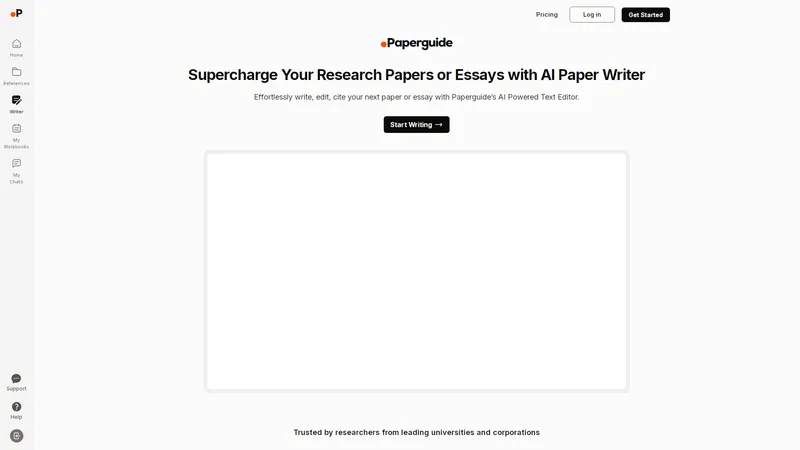
Paperguide is an all-in-one AI research assistant, reference manager, and writing assistant designed to supercharge your academic and professional writing. With its AI-powered text editor, you can effortlessly write, edit, and cite your research papers, essays, literature reviews, and more. The platform offers advanced features such as context-aware AI writing assistance, effortless citation management, advanced paraphrasing tools, personalized suggestions, integrated plagiarism detection, and a built-in AI research assistant. Trusted by researchers from leading universities and corporations, Paperguide is a game-changer for anyone looking to streamline their writing process while maintaining academic integrity. Whether you're a student, researcher, or professional, Paperguide provides the tools you need to create well-researched, well-cited, and error-free content. Start writing with Paperguide today and experience the future of academic writing.
Top Features
- AI-Powered Writing Assistance
- Effortless Citation Management
- Advanced Paraphrasing Tool
- Personalized Suggestions
- Integrated Plagiarism Detection
- Built-in AI Research Assistant
- Comprehensive Grammar Support
- Support for multiple citation styles (APA, MLA, Chicago, etc.)
- Collaboration features for team projects
- Export options for various formats
Simple Definition of Usecases
- A student uses the AI-Powered Writing Assistance to draft a research paper on climate change, leveraging the context-aware AI to predict and suggest relevant phrases and sentences, ensuring a smooth writing flow.
- A researcher utilizes the Effortless Citation Management feature to insert perfectly formatted citations in APA style while writing a literature review, saving hours of manual formatting.
- A professional employs the Advanced Paraphrasing Tool to refine a business report, enhancing clarity and originality without altering the intended message.
- An educator collaborates with students using the Personalized Suggestions feature, which tailors suggestions based on the students' research libraries, ensuring relevant and credible sources are used.
- A content creator uses the Integrated Plagiarism Detection tool to check an article for originality before publication, ensuring academic integrity and avoiding plagiarism issues.
Frequently Asked Questions
Does Paperguide's AI Writer include sources or citations while generating text?
Yes, Paperguide's AI Writer can include citations in your text. It supports multiple citation styles such as APA, MLA, and Chicago, allowing you to insert perfectly formatted citations with just one click.
What citation styles are supported by Paperguide's AI Paper Generator?
Paperguide supports a wide range of citation styles, including APA, MLA, Chicago, and more. This ensures that your citations are formatted correctly according to your academic or professional requirements.
What export options are available with Paperguide's AI Essay Writer?
Paperguide offers various export options, including PDF, Word, and plain text formats. This allows you to easily share or submit your work in the format that best suits your needs.
Does Paperguide's AI Research Paper Writer support LaTeX?
Currently, Paperguide does not natively support LaTeX. However, you can export your document in formats like Word or PDF and then convert it to LaTeX if needed.
Which languages are supported by Paperguide?
Paperguide primarily supports English. However, it can assist with writing and paraphrasing in other languages, though the citation and research features are optimized for English.
Related AI Tools

Frequently Asked Questions
What is MaoMaoYu Top4 AI Tools Directory?
Top 4 AI — '4' means 'For', MaoMaoYu Top For AI Tools Directory - top4ai.com is building an ai tools directory that helps you get your favorite ai tools, free ai tools list. It can get best ai writing tools, best free ai tools for writing articles, content at scale ai detector, best ai email marketing tools, ai paraphrasing tools, best ai seo tools, ai study tools, 'pearson' and 'ai' and 'study tools', ai generator tools, ai hashtags generator tools, best ai tools for research, ai art tools, ai music tools, ai video editing tools, ai pair coding tools, ai photo tools, ai tools for detecting photoshopped imagers, best ai tools for start up companies who are researching their market and more here.
How to found your ai tools in MaoMaoYu Top4 AI tools directory?
1. Open top4ai.com.
2. Explore the ai tools in the MaoMaoYu Top4 AI tools directory.
3. Click the ai tools that you need to get the detail and visit it.
What are the main features of MaoMaoYu Top4 AI Tools Directory?
1. Explore a simple definition of AI tools and discover how to fast find the perfect one for your needs. Streamline your workflow with the right AI solution.
2. Intelligent Search Engine: Thinking of what you think, saving you time, saving you trouble
Is it free to submit ai tools to MaoMaoYu Top4 AI Tools Directory?
Yes, it's free currently.
What's the categories list of AI Tools that MaoMaoYu Top4 AI Tools Directory support?
We will support all kinds of AI Tools later. Please wait for a few days.
What's the frequency for the up of AI tools in MaoMaoYu Top4 AI Directory?
The list of AI tools will be updated daily.
Is it support QuillBot, GPT-4o or Sora AI here?
You can get the QuillBot, GPT-4o or Sora AI tool here. Here is the introduction of GPT-4o and Sora video, and you can visit the website of the tools.
Troubleshooting
If the content aren't appearing, try a different browser, clear your cache. If issues persist, contact us at support@top4ai.com | support@maomaoyu.coffee.
What are the usage rights of the AI tools?
MaoMaoYu Top4 AI Tools Directory is just the AI Directory for AI tools. The usage rights of the AI tools are based on the AI tools' website.