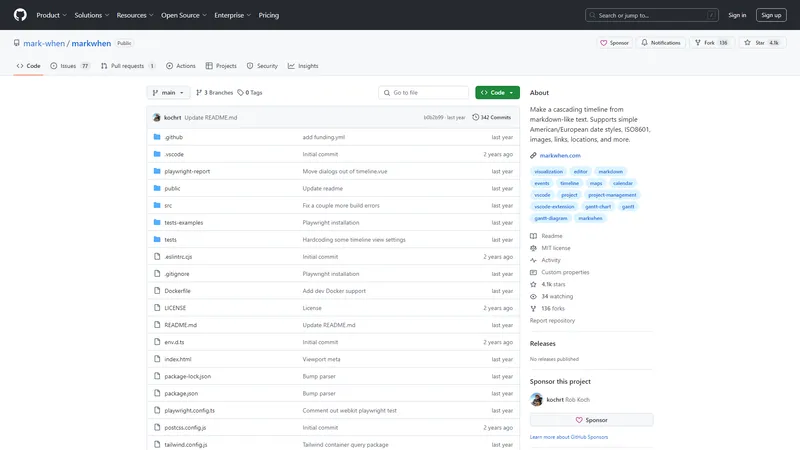
Markwhen is an interactive text-to-timeline tool that allows users to create cascading timelines from markdown-like text. It supports various date formats, including simple American/European styles, ISO8601, and more. Users can add images, links, locations, and other elements to their timelines, making it a versatile tool for project management, event planning, and documentation. The platform offers both a web-based editor and a VSCode extension, enabling users to create and manage timelines directly within their development environment. Markwhen's open-source nature allows for community contributions and customizations, ensuring it remains a flexible and powerful tool for a wide range of applications.
Top Features
Markdown-like text input for timeline creation
Support for multiple date formats
Integration with images, links, and locations
Web-based editor and VSCode extension
Open-source with community contributions
Simple Definition of Usecases
A project manager uses Markwhen to create a timeline for a software development project, detailing key milestones and deadlines.
An event planner creates a timeline for a conference, including dates for registration, speaker submissions, and the event itself.
A developer uses the VSCode extension to integrate timeline creation into their workflow, making it easier to track project progress.
A technical writer creates a timeline for a documentation project, ensuring all updates and releases are tracked and easily accessible.
An educator uses Markwhen to create a timeline of historical events for a classroom lesson, enhancing student engagement.
Frequently Asked Questions
Q:
How do I create a timeline in Markwhen?
A:
You can create a timeline by writing markdown-like text in the web-based editor or using the VSCode extension. The text is then converted into a visual timeline.
Q:
What date formats does Markwhen support?
A:
Markwhen supports simple American/European date styles, ISO8601, and other common date formats.
Q:
Can I add images and links to my timeline?
A:
Yes, you can add images, links, and other elements to your timeline to make it more informative and interactive.
Q:
Is Markwhen available as a VSCode extension?
A:
Yes, Markwhen is available as a VSCode extension, allowing you to create and manage timelines directly within your development environment.
Q:
Is Markwhen open-source?
A:
Yes, Markwhen is open-source, allowing for community contributions and customizations.
Simple Video Tools एक ऑनलाइन प्लेटफॉर्म है जो उपयोगकर्ताओं को वीडियो संपादन के लिए सरल और प्रभावी टूल प्रदान करता है। यह वेबसाइट विभिन्न वीडियो संपादन कार्यों को आसानी से करने के लिए डिज़ाइन की गई है, जैसे कि फ्रेम निकालना, क्लिप बनाना, फॉर्मेट बदलना, ऑडियो निकालना, ऑडियो हटाना, गति समायोजित करना और वीडियो का आकार कम करना। यह प्लेटफॉर्म उपयोगकर्ताओं को बिना किसी सॉफ्टवेयर डाउनलोड किए, सीधे वेब ब्राउज़र के माध्यम से वीडियो संपादन करने की सुविधा प्रदान करता है। Simple Video Tools का उद्देश्य वीडियो संपादन को सभी के लिए सुलभ और सरल बनाना है, चाहे वे पेशेवर हों या शौकिया।
Shy Editor एक आधुनिक AI-सहायित लेखन वातावरण है जो सभी प्रकार के पाठ के लिए डिज़ाइन किया गया है। यह उपकरण हर दिन हजारों उपन्यासकारों, गैर-काल्पनिक लेखकों, छात्रों, शिक्षाविदों, ब्लॉगर्स, कंटेंट क्रिएटर्स, पत्रकारों, वकीलों और अन्य लोगों द्वारा उपयोग किया जाता है। Shy Editor रचनात्मक प्रक्रिया को बेहतर बनाने के लिए AI-संचालित सुविधाओं को आपके कार्यप्रवाह में सहजता से शामिल करता है। हमारा मानना है कि AI को लेखकों को सशक्त बनाना चाहिए, न कि उन्हें प्रतिस्थापित करना।
Shy Editor आपको बेहतर, तेज और अधिक आत्मविश्वास के साथ लिखने में मदद करने के लिए डिज़ाइन किया गया है। अपनी रचनात्मकता पर ध्यान केंद्रित करें और उबाऊ हिस्सों को हम पर छोड़ दें। यह उपकरण आपके लेखन को संगठित करने, व्याकरण की जांच करने, विचारों को ब्रेनस्टॉर्म करने और बहुत कुछ करने में मदद करता है।
Shy Editor में Markdown एडिटर, संस्करण नियंत्रण, व्यापक संगठनात्मक उपकरण, नोट्स, ज्ञान आधार, फ़ाइल लाइब्रेरी, और बहुत कुछ शामिल है। यह आपके लेखन को एक ही स्थान पर संगठित करने और आसानी से एक्सेस करने में मदद करता है।
Shy Editor का उपयोग करके आप अपने लेखन को नए स्तर पर ले जा सकते हैं। चाहे आप एक उपन्यासकार हों, एक पत्रकार, या एक छात्र, Shy Editor आपके कार्यप्रवाह के लिए उपयोगी सुविधाओं से भरा हुआ है।
Image to Video AI एक अत्याधुनिक AI टूल है जो आपकी छवियों को उच्च गुणवत्ता वाले वीडियो में बदलता है। यह सिर्फ एक ऐप नहीं है, बल्कि एक गेम-चेंजर है जो आपकी छवियों को सहजता से वीडियो में परिवर्तित करता है। इसकी उन्नत AI क्षमताओं के साथ, Image to Video AI स्मूद ट्रांज़िशन और शानदार विजुअल्स प्रदान करता है। यह आपकी उंगलियों पर एक पेशेवर वीडियो एडिटर की तरह है, जो आपकी छवियों को जीवंत बनाने के लिए तैयार है। चाहे आप एक शौक़ीन हों जो नए रचनात्मक रास्तों की खोज कर रहे हों या एक पेशेवर जो अपने प्रोजेक्ट्स को बढ़ाना चाहते हों, Image to Video AI आपकी मदद के लिए यहां है। यह शक्तिशाली और बहुमुखी है। Image to Video AI के बारे में और जानने के लिए हमारे प्लेग्राउंड में जाएं और आज ही अपनी छवियों को परिवर्तित करना शुरू करें!
AI Facefy is a cutting-edge platform that offers free and secure online face swapping services. Utilizing advanced AI technology, it allows users to seamlessly swap faces in photos and videos, creating realistic and engaging content. Whether for entertainment, practical use, or creative expression, AI Facefy provides a user-friendly experience with high-quality output. The platform ensures privacy by deleting uploaded photos within 24 hours and offers quick processing times, making it a versatile tool for various user groups. With features like seamless face replacement, creative possibilities, and support for multiple media formats, AI Facefy stands out as a leading solution in the AI face swapping domain.
The Windsurf Editor by Codeium is a revolutionary Integrated Development Environment (IDE) designed to enhance the coding experience by integrating advanced AI capabilities. It is the first agentic IDE that combines the collaborative features of a Copilot with the autonomous task-handling abilities of an Agent, creating a seamless flow between developers and AI. This editor is built to keep developers in a flow state, offering unmatched performance and a user experience that feels like magic. With features like Cascade, which provides deep contextual awareness, multi-file editing, and terminal command suggestions, the Windsurf Editor is not just the best AI-powered editor but the best editor period. It is available for Mac, Linux, and Windows, and offers a range of pricing options to suit different needs. Whether you are a professional developer, a student, or an enterprise, the Windsurf Editor is designed to elevate your coding experience to new heights.
Image to Image AI is a powerful, ready-to-use online platform that harnesses artificial intelligence to transform, stylize, and recreate any image with remarkable efficiency. It offers a streamlined workflow for designers, marketers, and creative enthusiasts to generate professional-quality image variations. The platform is designed to be intuitive and automated, allowing users to upload a source image, describe desired changes via text prompts, and receive multiple transformed outputs in seconds. Its core technology maintains the original composition of your image while applying diverse artistic styles, environmental changes, or element modifications. This tool is ideal for creating campaign assets, visualizing concepts, or exploring artistic directions without requiring advanced design skills. With support for multiple image formats, flexible aspect ratios, and a credit-based system, it provides a practical and efficient solution for modern visual content creation.
PDF Interact एक उन्नत AI-संचालित प्लेटफॉर्म है जो आपके PDF दस्तावेज़ों के साथ बातचीत करने और उनसे तुरंत जवाब प्राप्त करने का एक नया तरीका प्रदान करता है। यह प्लेटफॉर्म विशेष रूप से उन लोगों के लिए डिज़ाइन किया गया है जो अपने दस्तावेज़ों को तेज़ी से समझना और उनसे जानकारी निकालना चाहते हैं। PDF Interact के साथ, आप अपने PDFs से तुरंत जवाब प्राप्त कर सकते हैं, जटिल शोध पत्रों का विश्लेषण कर सकते हैं, और अपने काम को और अधिक कुशल बना सकते हैं। यह प्लेटफॉर्म आपके समय की बचत करता है और आपको अपने काम पर ध्यान केंद्रित करने में मदद करता है। PDF Interact का उपयोग करके, आप अपने दस्तावेज़ों को एक नए स्तर पर ले जा सकते हैं और अपनी उत्पादकता को बढ़ा सकते हैं।
Cline is an advanced AI assistant designed to integrate seamlessly into your development environment, offering a suite of tools to enhance productivity and streamline complex software development tasks. Leveraging the capabilities of Claude 3.5 Sonnet, Cline can perform a variety of functions, from creating and editing files to executing terminal commands and using the browser for interactive debugging. This extension is particularly valuable for developers working on large, complex projects, as it can analyze file structures, source code ASTs, and run regex searches to get up to speed quickly. Cline's ability to monitor linter/compiler errors and react to dev server issues in real-time ensures that your code remains clean and functional. Additionally, Cline supports a wide range of API providers, including OpenRouter, Anthropic, OpenAI, Google Gemini, AWS Bedrock, Azure, and GCP Vertex, allowing you to use the latest models and tools. The extension also provides detailed tracking of API usage costs, keeping you informed of your spend every step of the way. With features like the Model Context Protocol (MCP), Cline can extend its capabilities through custom tools tailored to your specific workflow, making it a versatile and indispensable tool for modern software development.
एआई कोड सहायक
Freemium
Frequently Asked Questions
What is MaoMaoYu Top4 AI Tools Directory?
Top 4 AI — '4' means 'For', MaoMaoYu Top For AI Tools Directory - top4ai.com is building an ai tools directory that helps you get your favorite ai tools, free ai tools list. It can get best ai writing tools, best free ai tools for writing articles, content at scale ai detector, best ai email marketing tools, ai paraphrasing tools, best ai seo tools, ai study tools, 'pearson' and 'ai' and 'study tools', ai generator tools, ai hashtags generator tools, best ai tools for research, ai art tools, ai music tools, ai video editing tools, ai pair coding tools, ai photo tools, ai tools for detecting photoshopped imagers, best ai tools for start up companies who are researching their market and more here.
How to found your ai tools in MaoMaoYu Top4 AI tools directory?
1. Open top4ai.com.
2. Explore the ai tools in the MaoMaoYu Top4 AI tools directory.
3. Click the ai tools that you need to get the detail and visit it.
What are the main features of MaoMaoYu Top4 AI Tools Directory?
1. Explore a simple definition of AI tools and discover how to fast find the perfect one for your needs. Streamline your workflow with the right AI solution.
2. Intelligent Search Engine: Thinking of what you think, saving you time, saving you trouble
Is it free to submit ai tools to MaoMaoYu Top4 AI Tools Directory?
Yes, it's free currently.
What's the categories list of AI Tools that MaoMaoYu Top4 AI Tools Directory support?
We will support all kinds of AI Tools later. Please wait for a few days.
What's the frequency for the up of AI tools in MaoMaoYu Top4 AI Directory?
The list of AI tools will be updated daily.
Is it support QuillBot, GPT-4o or Sora AI here?
You can get the QuillBot, GPT-4o or Sora AI tool here. Here is the introduction of GPT-4o and Sora video, and you can visit the website of the tools.
Troubleshooting
If the content aren't appearing, try a different browser, clear your cache. If issues persist, contact us at support@top4ai.com | support@maomaoyu.coffee.
What are the usage rights of the AI tools?
MaoMaoYu Top4 AI Tools Directory is just the AI Directory for AI tools. The usage rights of the AI tools are based on the AI tools' website.
