Links
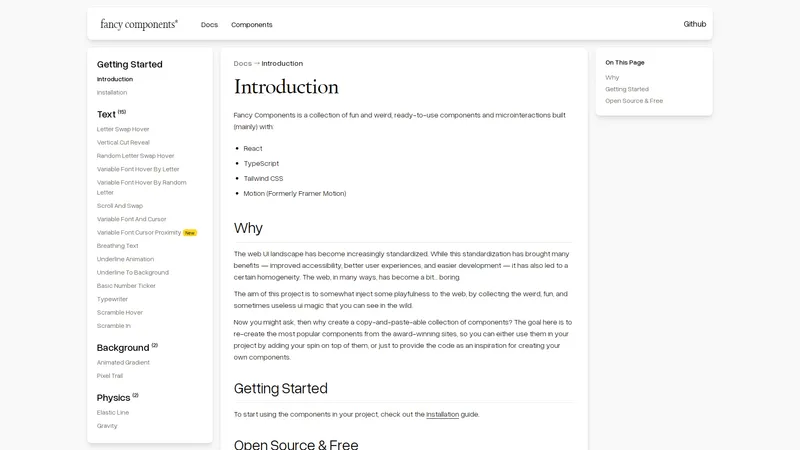
Fancy Components is a vibrant collection of fun, quirky, and ready-to-use components and microinteractions designed to bring a touch of whimsy and creativity to web projects. Built primarily with React, TypeScript, Tailwind CSS, and Motion (formerly Framer Motion), this open-source library aims to break the monotony of standardized web UI by offering unique and engaging elements that can be easily integrated into any project. Whether you're looking to add a playful hover effect, an animated gradient background, or a physics-based interaction, Fancy Components provides the tools to make your website stand out. The project is free to use for both personal and commercial purposes, and contributions from the community are highly encouraged. With Fancy Components, you can either use the pre-built components as-is or customize them to fit your unique design needs, making it a versatile resource for developers and designers alike.
Top Features
- Letter Swap Hover
- Vertical Cut Reveal
- Random Letter Swap Hover
- Variable Font Hover By Letter
- Variable Font Hover By Random Letter
- Scroll And Swap
- Variable Font And Cursor
- Variable Font Cursor Proximity
- Breathing Text
- Underline Animation
- Underline To Background
- Basic Number Ticker
- Typewriter
- Scramble Hover
- Scramble In
- Animated Gradient
- Pixel Trail
- Elastic Line
- Gravity
- Image Trail
- Parallax Floating
- Drag Elements
- Circling Elements
- Screensaver
- Sticky Footer
- Float
Simple Definition of Usecases
- A web developer uses the Letter Swap Hover component to add an engaging hover effect to the navigation menu of a portfolio website, making it more interactive and visually appealing.
- A UI/UX designer integrates the Animated Gradient background into a landing page to create a dynamic and eye-catching visual experience for users.
- A creative agency employs the Scramble In effect for a client's product launch page, adding a sense of mystery and anticipation as the text reveals itself.
- A startup uses the Typewriter component on their homepage to simulate a typing effect, making the introduction of their product more engaging and memorable.
- A freelancer incorporates the Elastic Line physics-based interaction into a personal blog to add a playful and interactive element to the user experience.
User Reviews
Liora Mendez
Web Developer
"Fancy Components has completely transformed the way I approach web design. The variety of components available is astounding, and each one is so well-documented and easy to implement. I particularly love the Letter Swap Hover effect—it adds such a unique touch to my projects. The fact that it's open source and free is just the cherry on top. I highly recommend Fancy Components to any developer or designer looking to add a bit of flair to their work."
Liora Mendez
Web Developer
"Fancy Components has completely transformed the way I approach web design. The variety of components available is astounding, and each one is so well-documented and easy to implement. I particularly love the Letter Swap Hover effect—it adds such a unique touch to my projects. The fact that it's open source and free is just the cherry on top. I highly recommend Fancy Components to any developer or designer looking to add a bit of flair to their work."
Eamon Fitzpatrick
UI/UX Designer
"As a UI/UX designer, I'm always on the lookout for tools that can help me create more engaging and interactive designs. Fancy Components has been a great resource for me. The Animated Gradient background is my favorite—it's so easy to use and really makes a difference in the overall look and feel of a page. My only critique is that I wish there were more physics-based interactions, but overall, I'm very impressed with what's available."
Saskia Nguyen
Creative Agency Owner
"I run a small creative agency, and Fancy Components has been a game-changer for us. The Scramble In effect was perfect for a recent product launch we worked on—it added a sense of drama and anticipation that our client loved. The documentation is clear and concise, and the components are easy to customize. We've already started incorporating Fancy Components into several of our projects, and I can't wait to see what new components are added in the future."
Rafael Ortiz
Freelancer
"I'm a freelance developer, and I've been using Fancy Components to add some extra pizzazz to my personal blog. The Typewriter component is my favorite—it's such a simple yet effective way to make text more engaging. I also appreciate the fact that the library is open source, which allows me to tweak the components to fit my specific needs. My only suggestion would be to add more image-based effects, but overall, I'm very happy with what Fancy Components has to offer."
Zara Khalid
Startup Founder
"I'm a startup founder, and we used Fancy Components to create a more engaging homepage for our product. The Variable Font Hover By Letter effect was a hit with our users—it added a level of interactivity that really set us apart from our competitors. The installation process was straightforward, and the components were easy to integrate into our existing codebase. I'm so glad we discovered Fancy Components—it's been a valuable resource for our team."
Frequently Asked Questions
What is Fancy Components?
Fancy Components is a collection of fun and quirky, ready-to-use components and microinteractions built primarily with React, TypeScript, Tailwind CSS, and Motion (formerly Framer Motion). It aims to inject playfulness into web projects by offering unique and engaging elements.
What does Fancy Components offer?
Fancy Components offers a variety of components and microinteractions, including text effects like Letter Swap Hover and Typewriter, background effects like Animated Gradient, physics-based interactions like Elastic Line, and more. These components can be easily integrated into web projects to enhance user experience.
How to get started with Fancy Components?
To get started with Fancy Components, visit the [Installation](https://www.fancycomponents.dev/docs/installation) guide on the official website. The guide provides step-by-step instructions on how to integrate the components into your project.
What to do if I have an idea for a new component?
If you have an idea for a new component, you can contribute to the Fancy Components project by opening an issue or submitting a pull request on the [GitHub repository](https://github.com/danielpetho/fancy). Contributions are welcome and encouraged.
Is Fancy Components free to use?
Yes, Fancy Components is open source and free to use for both personal and commercial projects. You can use the components as-is or customize them to fit your specific needs.
Can I use Fancy Components in a commercial project?
Yes, Fancy Components is free to use for both personal and commercial projects. You can integrate the components into your commercial project without any restrictions.
What technologies are used to build Fancy Components?
Fancy Components is built primarily with React, TypeScript, Tailwind CSS, and Motion (formerly Framer Motion). These technologies ensure that the components are modern, efficient, and easy to use.
Are there any tutorials available for Fancy Components?
Yes, the official [Docs](https://www.fancycomponents.dev/docs/introduction) section of the Fancy Components website provides detailed documentation and tutorials on how to use each component. The documentation is clear and easy to follow.
How can I contribute to Fancy Components?
You can contribute to Fancy Components by opening an issue or submitting a pull request on the [GitHub repository](https://github.com/danielpetho/fancy). Contributions are welcome, and a detailed contribution guide will be available soon.
What are the most popular components in Fancy Components?
Some of the most popular components in Fancy Components include the Letter Swap Hover, Animated Gradient, Typewriter, and Elastic Line. These components are widely used for their unique and engaging effects.
Related AI Tools

Frequently Asked Questions
What is MaoMaoYu Top4 AI Tools Directory?
Top 4 AI — '4' means 'For', MaoMaoYu Top For AI Tools Directory - top4ai.com is building an ai tools directory that helps you get your favorite ai tools, free ai tools list. It can get best ai writing tools, best free ai tools for writing articles, content at scale ai detector, best ai email marketing tools, ai paraphrasing tools, best ai seo tools, ai study tools, 'pearson' and 'ai' and 'study tools', ai generator tools, ai hashtags generator tools, best ai tools for research, ai art tools, ai music tools, ai video editing tools, ai pair coding tools, ai photo tools, ai tools for detecting photoshopped imagers, best ai tools for start up companies who are researching their market and more here.
How to found your ai tools in MaoMaoYu Top4 AI tools directory?
1. Open top4ai.com.
2. Explore the ai tools in the MaoMaoYu Top4 AI tools directory.
3. Click the ai tools that you need to get the detail and visit it.
What are the main features of MaoMaoYu Top4 AI Tools Directory?
1. Explore a simple definition of AI tools and discover how to fast find the perfect one for your needs. Streamline your workflow with the right AI solution.
2. Intelligent Search Engine: Thinking of what you think, saving you time, saving you trouble
Is it free to submit ai tools to MaoMaoYu Top4 AI Tools Directory?
Yes, it's free currently.
What's the categories list of AI Tools that MaoMaoYu Top4 AI Tools Directory support?
We will support all kinds of AI Tools later. Please wait for a few days.
What's the frequency for the up of AI tools in MaoMaoYu Top4 AI Directory?
The list of AI tools will be updated daily.
Is it support QuillBot, GPT-4o or Sora AI here?
You can get the QuillBot, GPT-4o or Sora AI tool here. Here is the introduction of GPT-4o and Sora video, and you can visit the website of the tools.
Troubleshooting
If the content aren't appearing, try a different browser, clear your cache. If issues persist, contact us at support@top4ai.com | support@maomaoyu.coffee.
What are the usage rights of the AI tools?
MaoMaoYu Top4 AI Tools Directory is just the AI Directory for AI tools. The usage rights of the AI tools are based on the AI tools' website.