Links
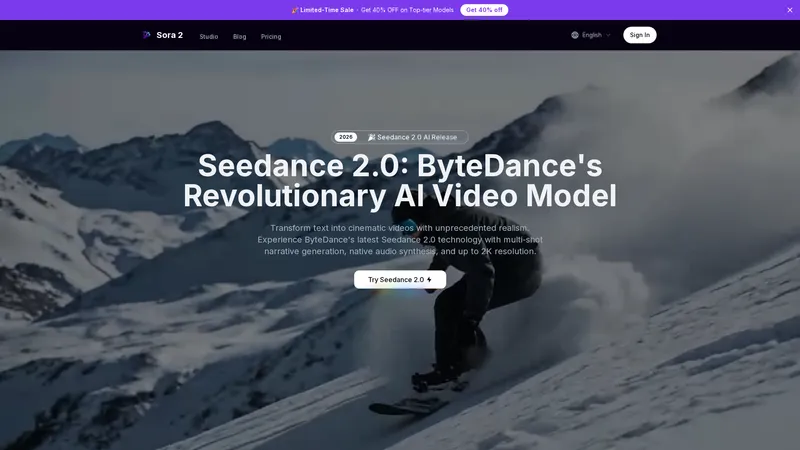
Seedance 2.0 AI Video Generator, powered by ByteDance's revolutionary Seedance 2.0 model, is a cutting-edge platform that transforms simple text prompts or reference images into high-definition, cinematic videos. This platform is designed to be ready to use, offering an integrated and streamlined workflow that combines video and native audio generation into one efficient process. It empowers creators to produce professional-grade content with features like multi-shot narrative generation, support for up to 2K resolution, and synchronized audio synthesis. Whether for commercial advertising, cinematic storytelling, or social media content, Seedance 2.0 provides practical tools to optimize production speed and creative output, making advanced video creation accessible and simple.
Top Features
- Multi-Shot Narrative Generation with 'Director in the Machine'
- Native Audio Synthesis with Lip-Sync Support
- Up to 2K Resolution Video Output
- Multimodal Input (Text and Image to Video)
- Video Reframing Tool for Aspect Ratio Changes
- Integrated Workflow Reducing Post-Production Needs
- Commercial License for Professional Use
Simple Definition of Usecases
- A film director uses the Multi-Shot Narrative feature with a detailed script prompt to generate a complete storyboard sequence for a short film. The platform maintains character consistency across different shots and angles, while the Native Audio Support generates ambient sound and placeholder dialogue, saving weeks of pre-visualization work.
- A marketing manager for a luxury brand uses the Image to Video mode with a product photo. They specify 'cinematic low-angle tracking shot' in the prompt. Seedance 2.0 generates a 1080p video with professional lighting and camera movement, and the integrated audio tool adds a sophisticated voiceover, creating a high-end ad prototype in minutes instead of days.
- A YouTuber creating anime reviews uses the platform to generate original multi-shot anime sequences based on their written descriptions. The tool ensures perfect pacing between establishing shots and close-ups, weaving in dialogue and sound effects to create engaging, cohesive narrative clips for their channel intro.
- An indie game developer needs a cinematic trailer. They input a description of a key game scene. Seedance 2.0 generates an immersive 2K resolution cutscene with precise audio-visual locking, where character footsteps and environmental sounds are perfectly synchronized with the on-screen action, providing a high-quality asset for their Kickstarter campaign.
- A corporate trainer uses the Text to Video feature to quickly convert a training module on cybersecurity into an engaging video. The platform generates clear, concise visuals with a professional tone and adds relevant background music, creating an effective e-learning asset without needing video editing software or voice actors.
User Reviews
Anya Petrova
Documentary Filmmaker
"As a documentary filmmaker, pre-visualization is crucial. Seedance 2.0 has been a game-changer. The 'Director in the Machine' feature is not marketing fluff; it genuinely understands scene composition. I fed it a complex prompt about a historical reenactment with multiple character interactions. The generated sequence had logical shot progression—wide establishing shot, medium two-shot for dialogue, and close-ups for emotional emphasis. The native audio, while synthetic, provided a surprisingly accurate bed of ambient crowd noise and room tone that matched the visual period setting. This allowed me to pitch the scene's mood to my producers with a tangible asset, not just storyboards. The streamlined workflow meant I didn't have to juggle separate audio editing software. For rapid prototyping and communicating directorial intent, it's an indispensable tool that has optimized my pre-production phase significantly."
Anya Petrova
Documentary Filmmaker
"As a documentary filmmaker, pre-visualization is crucial. Seedance 2.0 has been a game-changer. The 'Director in the Machine' feature is not marketing fluff; it genuinely understands scene composition. I fed it a complex prompt about a historical reenactment with multiple character interactions. The generated sequence had logical shot progression—wide establishing shot, medium two-shot for dialogue, and close-ups for emotional emphasis. The native audio, while synthetic, provided a surprisingly accurate bed of ambient crowd noise and room tone that matched the visual period setting. This allowed me to pitch the scene's mood to my producers with a tangible asset, not just storyboards. The streamlined workflow meant I didn't have to juggle separate audio editing software. For rapid prototyping and communicating directorial intent, it's an indispensable tool that has optimized my pre-production phase significantly."
Kaito Tanaka
Digital Marketing Agency Owner
"Running a small digital marketing agency, we're always under pressure to deliver high-volume, high-quality video content for social media. Seedance 2.0's integration of audio is its killer feature for us. Creating 15-second Instagram ads used to involve writing a script, sourcing stock footage, recording a voiceover, and editing it all together—a full day's work for a junior staffer. Now, we input the product image and a concise prompt like 'joyful family in a sunny kitchen, upbeat music, text overlay saying *Summer Sale*'. We get a cohesive, vertical-format video with matching soundtrack in under an hour. The lip-sync on characters is basic but passable for short clips. It's not perfect for nuanced acting, but for product showcases and mood-setting, it's incredibly effective and efficient. The credit system is straightforward, and the ability to reframe videos for different platforms (9:16 for Reels, 1:1 for Feed) is a handy bonus that saves further editing time."
Elara Vance
Indie Game Concept Artist & Writer
"I'm a concept artist and writer for indie games, and Seedance 2.0 feels like a creative partner. The image-to-video function is phenomenal. I can sketch a keyframe of a character or environment, upload it, and describe the action. The model extrapolates a fluid animation that stays true to my art style. Recently, I painted a still of my cyberpunk protagonist in a rainy alley. With the prompt 'character turns head sharply, neon signs reflect in puddles, tense synth music,' it generated a stunning 2K, 8-second clip that captured the exact noir atmosphere I envisioned. The synchronized audio of rain and a brooding synth track was spot-on. This tool has moved me from static concept art to dynamic pitch videos, which has been invaluable for securing funding. It's intuitive and reduces the technical barrier between my imagination and a shareable, compelling visual."
Marisol Flores
University Biology Lecturer
"Teaching complex scientific concepts online was challenging until I found Seedance 2.0. I use it to create simplified explanatory videos. For a lesson on cellular mitosis, I typed a step-by-step description. The AI generated a clear, animated visualization of the process with a calm, narrative voiceover it created on the fly. The ability to get a complete audio-visual package from text is revolutionary for educators without a production budget. It's not just a video generator; it's a content creation suite. The multi-shot feature helps break down processes into logical sequences. However, I sometimes find the need for more control over the narrator's tone—it can be a bit monotonous. Also, while 1080p is great, I hope for even simpler, lower-res options for faster generation when perfect quality isn't the priority. Despite this, it's an incredibly practical and effective tool that has made my content more engaging."
Darius Thorne
Freelance Video Editor & VFX Artist
"As a professional commercial editor, my review is mixed. The technology is impressive, especially the native audio-video fusion. I used it to quickly mock up a car chase sequence. The camera movements and the synchronization of engine roars with visual cues were coherent. For brainstorming and pitching rough ideas to clients, it's powerful. However, for final delivery, it's not there yet. The 'cinematic' quality, while good, still has an AI sheen—subtle details in texture and complex physics (like hair or cloth simulation in wind) aren't fully convincing. The audio, though synchronized, lacks the depth and nuance of professionally designed soundscapes. It's a fantastic tool for the 'ideation' and 'pre-viz' stages, dramatically streamlining the early workflow. But it doesn't replace the need for high-end VFX, color grading, and sound design in a finished product. It's a potent assistant, not a replacement, for seasoned professionals."
Frequently Asked Questions
What is Seedance 2.0 and how does it differ from other AI video models?
Seedance 2.0 is ByteDance's latest AI model for generating videos from text or images. Its key differentiators are 'Director in the Machine' technology for coherent multi-shot narratives, native audio synthesis (generating sound and video together), and support for up to 2K resolution. Unlike models that simply animate a single scene, it plans shots and maintains consistency like a human director.
What does the 'native audio support' feature do?
Native audio support means the Seedance 2.0 model generates synchronized sound—including dialogue, ambient noise, sound effects, and music—directly within the same process as the video. This ensures perfect timing between audio and visual actions and eliminates the need to add and align sound in post-production software.
What to expect in terms of video quality and resolution?
You can expect professional-grade video quality. Seedance 2.0 supports generation in resolutions up to 2K (1080p is standard), offering exceptional visual clarity suitable for social media, presentations, and broadcast prototypes. The model is designed for cinematic output with realistic details and consistent visual style.
How to use a reference image with Seedance 2.0?
In the 'Image to Video' mode, simply upload a reference image (JPG, PNG). The AI uses this image to guide the style, composition, and elements of the first frame of your generated video, ensuring visual consistency with your initial concept or brand assets.
How to fast generate a video for social media?
For fast social media clips: 1) Select the 'Text to Video' mode. 2) Choose the target aspect ratio (e.g., 9:16 for Reels/TikTok). 3) Write a concise, descriptive prompt focusing on the key action and mood. 4) Select a shorter video length (4-6 seconds). 5) Click 'Generate'. The integrated audio means your video will be complete with sound, ready to download and post immediately.
Can I use the videos for commercial purposes?
Yes, videos generated on the platform come with a commercial license under the Pro and Pro Max subscription plans, allowing you to use them in client work, advertisements, and monetized content. Please review the specific terms of service for detailed licensing information.
What is the video reframing tool?
The video reframing tool allows you to upload an existing video (up to 30 seconds) and change its aspect ratio (e.g., from 16:9 to 9:16) without cropping important content. The AI intelligently adjusts the composition to fit the new frame, which is perfect for repurposing content across different social platforms.
Do credits expire?
No, according to the pricing information, credits do not expire. Unused credits roll over month-to-month as long as your subscription remains active, providing flexibility in usage.
Related AI Tools

Frequently Asked Questions
What is MaoMaoYu Top4 AI Tools Directory?
Top 4 AI — '4' means 'For', MaoMaoYu Top For AI Tools Directory - top4ai.com is building an ai tools directory that helps you get your favorite ai tools, free ai tools list. It can get best ai writing tools, best free ai tools for writing articles, content at scale ai detector, best ai email marketing tools, ai paraphrasing tools, best ai seo tools, ai study tools, 'pearson' and 'ai' and 'study tools', ai generator tools, ai hashtags generator tools, best ai tools for research, ai art tools, ai music tools, ai video editing tools, ai pair coding tools, ai photo tools, ai tools for detecting photoshopped imagers, best ai tools for start up companies who are researching their market and more here.
How to found your ai tools in MaoMaoYu Top4 AI tools directory?
1. Open top4ai.com.
2. Explore the ai tools in the MaoMaoYu Top4 AI tools directory.
3. Click the ai tools that you need to get the detail and visit it.
What are the main features of MaoMaoYu Top4 AI Tools Directory?
1. Explore a simple definition of AI tools and discover how to fast find the perfect one for your needs. Streamline your workflow with the right AI solution.
2. Intelligent Search Engine: Thinking of what you think, saving you time, saving you trouble
Is it free to submit ai tools to MaoMaoYu Top4 AI Tools Directory?
Yes, it's free currently.
What's the categories list of AI Tools that MaoMaoYu Top4 AI Tools Directory support?
We will support all kinds of AI Tools later. Please wait for a few days.
What's the frequency for the up of AI tools in MaoMaoYu Top4 AI Directory?
The list of AI tools will be updated daily.
Is it support QuillBot, GPT-4o or Sora AI here?
You can get the QuillBot, GPT-4o or Sora AI tool here. Here is the introduction of GPT-4o and Sora video, and you can visit the website of the tools.
Troubleshooting
If the content aren't appearing, try a different browser, clear your cache. If issues persist, contact us at support@top4ai.com | support@maomaoyu.coffee.
What are the usage rights of the AI tools?
MaoMaoYu Top4 AI Tools Directory is just the AI Directory for AI tools. The usage rights of the AI tools are based on the AI tools' website.