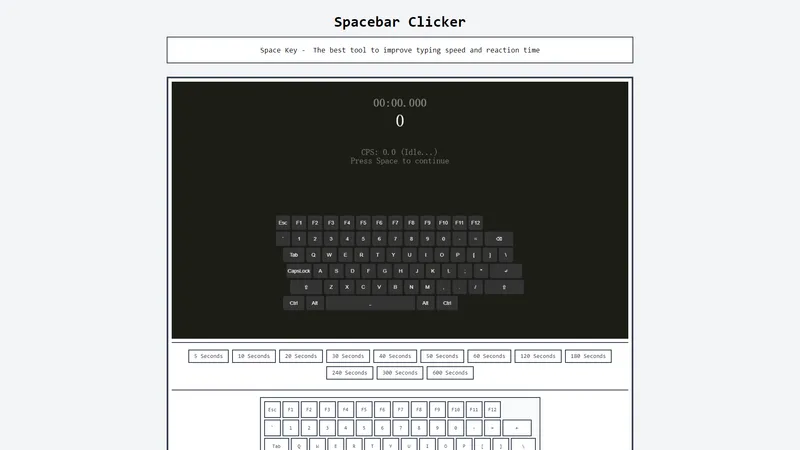
Spacebar Clicker is a specialized tool designed to help users improve their typing speed and reaction time by focusing on the spacebar. This tool offers multiple timing options and a user-friendly interface, making it suitable for users of all ages. By practicing with Spacebar Clicker, users can enhance their typing efficiency, finger flexibility, and overall reaction speed. Whether you're a gamer looking to improve your in-game performance or a professional aiming to boost your typing accuracy, Spacebar Clicker provides a simple yet effective solution. The tool also offers various articles and tips on how to maximize its benefits, ensuring that users can make the most out of their practice sessions. With regular use, Spacebar Clicker can significantly enhance your typing skills, making it an essential tool for anyone looking to improve their digital dexterity.
Top Features
- Multiple timing options for spacebar clicking tests.
- User-friendly interface suitable for all ages.
- Articles and tips on improving typing speed and accuracy.
- Focus on the spacebar to eliminate interference from other keys.
- Regular updates and new content to keep users engaged.
Simple Definition of Usecases
- A gamer uses Spacebar Clicker to practice rapid spacebar clicks, improving their reaction time for in-game actions.
- A professional uses the tool to enhance their typing speed during work hours, increasing productivity.
- A student practices with Spacebar Clicker to improve their typing accuracy for academic assignments.
- A typing enthusiast uses the tool to challenge their limits and track their progress over time.
- An individual with no prior typing experience uses Spacebar Clicker to build basic typing skills and confidence.
Frequently Asked Questions
What is Spacebar Clicker?
Spacebar Clicker is a tool designed to help users improve their typing speed and reaction time by focusing on pressing the spacebar.
How to improve your score on Spacebar Clicker?
To improve your score, practice regularly, focus on accuracy, and gradually increase your speed. Using all fingers and maintaining a correct typing posture can also help.
Who is Spacebar Clicker suitable for?
Spacebar Clicker is suitable for gamers, professionals, students, typing enthusiasts, and anyone looking to improve their typing skills.
Can the test time of Spacebar Clicker be customized?
Yes, Spacebar Clicker offers multiple timing options, allowing users to choose the duration of their practice sessions.
What is the update frequency?
Spacebar Clicker is regularly updated with new content, articles, and features to keep users engaged and improve their experience.
Related AI Tools

Frequently Asked Questions
What is MaoMaoYu Top4 AI Tools Directory?
Top 4 AI — '4' means 'For', MaoMaoYu Top For AI Tools Directory - top4ai.com is building an ai tools directory that helps you get your favorite ai tools, free ai tools list. It can get best ai writing tools, best free ai tools for writing articles, content at scale ai detector, best ai email marketing tools, ai paraphrasing tools, best ai seo tools, ai study tools, 'pearson' and 'ai' and 'study tools', ai generator tools, ai hashtags generator tools, best ai tools for research, ai art tools, ai music tools, ai video editing tools, ai pair coding tools, ai photo tools, ai tools for detecting photoshopped imagers, best ai tools for start up companies who are researching their market and more here.
How to found your ai tools in MaoMaoYu Top4 AI tools directory?
1. Open top4ai.com.
2. Explore the ai tools in the MaoMaoYu Top4 AI tools directory.
3. Click the ai tools that you need to get the detail and visit it.
What are the main features of MaoMaoYu Top4 AI Tools Directory?
1. Explore a simple definition of AI tools and discover how to fast find the perfect one for your needs. Streamline your workflow with the right AI solution.
2. Intelligent Search Engine: Thinking of what you think, saving you time, saving you trouble
Is it free to submit ai tools to MaoMaoYu Top4 AI Tools Directory?
Yes, it's free currently.
What's the categories list of AI Tools that MaoMaoYu Top4 AI Tools Directory support?
We will support all kinds of AI Tools later. Please wait for a few days.
What's the frequency for the up of AI tools in MaoMaoYu Top4 AI Directory?
The list of AI tools will be updated daily.
Is it support QuillBot, GPT-4o or Sora AI here?
You can get the QuillBot, GPT-4o or Sora AI tool here. Here is the introduction of GPT-4o and Sora video, and you can visit the website of the tools.
Troubleshooting
If the content aren't appearing, try a different browser, clear your cache. If issues persist, contact us at support@top4ai.com | support@maomaoyu.coffee.
What are the usage rights of the AI tools?
MaoMaoYu Top4 AI Tools Directory is just the AI Directory for AI tools. The usage rights of the AI tools are based on the AI tools' website.