2024-12-03 08:21:28
AI Transcriber: Speech to Text
Categories
Speech-to-TextTranscriptionTranscriberSummarizerAI Speech Recognition
Users of this tool
Business professionals needing to transcribe meetings and interviewsJournalists and researchers requiring accurate transcriptions of interviewsStudents and educators for lecture notes and academic researchPodcasters and content creators for transcription and summarization of audio contentGeneral users looking to transcribe personal voice memos and call recordings
PricingType
Freemium

Voiser AI: Transcribe - Speech to Text and Summarize with AI Precision. Voiser AI is your ultimate solution for transforming voice memos, meetings, interviews, and videos into text, including solutions for transcribe for WhatsApp and transcribe for call recordings. With cutting-edge AI technology, easily manage AI voice memos, transcribe speech to text, and even video transcriber functions. Experience fast and precise AI transcription that saves you time and simplifies your tasks.

Top Features

  1. Audio and Video Transcription
  2. Automatic Summarization
  3. Multiple Format Support
  4. Multi-Language Support
  5. Advanced Editing
  6. Cloud Integration
  7. Meeting Assistant
  8. Reminders
  9. Easy Sharing

Simple Definition of Usecases

  1. Transcribing business meetings to create detailed minutes and summaries
  2. Converting interviews into text for news articles and research papers
  3. Summarizing lecture recordings for students to review key points
  4. Translating and transcribing international conference calls for global teams
  5. Creating transcripts and summaries of podcast episodes for content distribution

Frequently Asked Questions

Q:

How accurate is the AI transcription?

A:

Voiser AI uses advanced AI technology to provide highly accurate transcriptions, often with over 95% accuracy.

Q:

Can I use Voiser AI for multiple languages?

A:

Yes, Voiser AI supports over 75 languages, making it a versatile tool for global users.

Q:

Is my data secure with Voiser AI?

A:

Voiser AI ensures data security by storing transcriptions in the cloud and adhering to strict privacy policies.

Q:

Can I edit the transcriptions after they are created?

A:

Yes, Voiser AI offers an intuitive transcription editor for users to edit, add titles, and highlight significant sections.

Q:

How can I share my transcriptions?

A:

Voiser AI allows users to export transcriptions and summaries in PDF, DOCX, and TXT formats for easy sharing.

Related AI Tools

VidRush AI - All-in-one AI studio for cinematic videos, images, and music | Top 4 AI Tool loading
VidRush AI is an all-in-one generative AI creation platform built for modern creators who need video, image, and music production tools without the overhead of managing five different subscriptions. The platform combines some of the world's most advanced foundation models, including Google Veo 3.1, Seedance 2.5, Kling 3.0, Wan 2.6, Nano Banana Pro, Seedream 5.0, GPT Image 2, and Suno AI, inside a single streamlined workspace. It is designed for both independent storytellers and professional production teams who want to transform text prompts, still photos, existing footage, or simple musical ideas into finished creative assets in minutes. Website Positioning VidRush AI positions itself as the definitive all-in-one alternative to fragmented creative AI workflows. In a market where powerful video tools are often separated from image tools, and music generation remains a separate platform, VidRush AI brings the entire production chain into one place. The site emphasizes broad accessibility: beginners can describe an idea in natural language, while professionals can fine-tune outputs with model selection, resolution, aspect ratio, camera motion, and multi-reference controls. The value proposition is straightforward: instead of learning many different interfaces, users can switch between cinematic text-to-video generation, photo animation, image editing, and AI music creation without leaving the workspace. Target Audience The platform is especially relevant for creators in the United States and other major media markets who want outputs that are ready to use for commercial publishing. YouTube creators and vloggers can build complete videos using Veo 3.1 footage, Nano Banana thumbnails, and Suno background music inside one dashboard. Social media marketers serving TikTok, Instagram Reels, and YouTube Shorts need fast turnaround for vertical ad formats, and VidRush AI responds with 9:16 aspect ratio support, native audio, and commercial licensing clarity. E-commerce brands can animate product photos into lifestyle videos and produce professional product shots from text descriptions. Independent filmmakers, video editors, and digital studios rely on the integrated model suite for previsualization, style transfer, and scene extension. Game developers use image generation for concept art, video-to-video for cinematic in-engine capture, and AI music for original soundtracks without expensive licensing fees. Musicians and audio producers can also create full vocal tracks, instrumental beds, and dynamic song variations from simple lyric prompts. Core Features VidRush AI provides six main creative modes: Text to Video, Image to Video, Video to Video, Text to Image, Image to Image, and AI Music Generation. The Text to Video mode lets users turn narrative scripts into cinematic clips with realistic physics, complex camera movement, and synchronized native audio. Image to Video is optimized for animating photographs, artwork, and product images while preserving identity and minimizing the character drift that often appears in earlier AI tools. Video to Video offers style transformation, motion replication, and footage extension based on user-provided reference clips. The Text to Image tool creates photorealistic portraits, commercial product visuals, concept art, and illustrations from descriptive words, while Image to Image supports remixing, restyling, and upscaling with identity retention. The AI Music Generator, powered by Suno 5.5 and previous Suno versions, turns text prompts and lyrics into complete songs with natural vocals, expressive instrumentation, and full dynamic range. Foundation AI Model Integration A major technical advantage offered by VidRush AI is its direct access to multiple state-of-the-art models. For video creation, users can choose Google Veo 3.1 for its impressive native audio and physics, Seedance 2.5 for multi-modal referencing and character consistency, Kling 3.0 for lifelike human motion, or Wan 2.6 for cinematic camera movement. For image generation, the platform includes Nano Banana Pro for photorealistic skin tones and lighting, Seedream 5.0 for high-resolution artistic texture, GPT Image 2 for complex typography and visual reasoning, and Flux 2 for rapid texture synthesis. Music generation is handled through Suno 5.5, 5.0, and 4.5, giving users access to the latest developments in AI vocal synthesis and arrangement. By offering a menu of excellent models rather than a single proprietary engine, VidRush AI lets users select the right tool for each specific job. User Experience and Workflow VidRush AI turns complex production tasks into a direct four-step process. First, users choose a media type and preferred model. Second, they write a prompt in natural language or upload reference assets such as start and end frames, existing images, or audio clips. Third, they configure output parameters such as aspect ratio, duration, camera behavior, lyrics, and instrumental preferences. Fourth, they generate, preview, iterate, and export high-resolution files ready for publishing. This workflow removes the friction commonly associated with installing open-source models, managing GPU hardware, or jumping between multiple web apps. For creators who have struggled with technical setup, the platform offers a convenient, simplified path forward. Even with no prior machine learning experience, users can produce compelling results because the interface highlights intuitive presets and model guidance. Content Quality and Media Capabilities VidRush AI supports a broad range of content creation needs. Text-to-video results can include cinematic sci-fi cityscapes, product-focused luxury advertising, documentary-style nature footage, and narrative action scenes. Image-to-video examples demonstrate animated character sequences, clothing physics, hair motion, and environmental effects that match the photographic source. Image generation covers futuristic portraits, commercial packaging, e-commerce product images, and stylized digital art. Music tracks are suitable for YouTube backgrounds, social media ads, game audio, podcasts, and full streaming releases. This breadth makes VidRush AI unusually practical for creators who produce in multiple formats. The same team can generate a product hero image, turn it into an engaging animation, and add an original soundtrack before publishing a coordinated campaign from one workspace. Commercial Rights and Licensing For many creators, especially those operating in the United States, commercial rights are among the most important considerations when selecting an AI tool. VidRush AI states that content created under active paid subscription plans or purchased credit packages includes full commercial licensing rights. Users can monetize videos on YouTube and TikTok, run client advertising campaigns, publish game assets, sell generated images, distribute music through streaming platforms, and deliver content for commercial television or film projects. This removes the uncertainty and legal friction that often come with open-source weights or free-tier restrictions. For agencies and small studios, that licensing clarity is a major reason to move beyond fragmented free tools and centralize production on a platform with transparent terms. Performance and Technical Infrastructure VidRush AI uses distributed, high-throughput GPU clusters to accelerate rendering. According to the platform's published workflow information, images typically render in 5 to 15 seconds, full-length or cinematic video clips complete in one to three minutes, and song generation typically produces two variations in one to two minutes. This speed matters enormously for content teams working on tight deadlines. In addition to speed, the technical backend supports up to 4K upscaling and flexible aspect ratios including 16:9 widescreen, 9:16 vertical shorts, and 1:1 square content. The platform's architecture is designed to balance high-volume user demand and priority processing through different tier plans. Optimization and Community Resources The site includes a community and showcase area where creators can examine authentic video and image outputs, including cinematic science fiction scenes, stylized anime-inspired visuals, e-commerce animations, and realistic wildlife footage. These examples serve as creative references and offer practical tips and tricks for users who are still learning prompt design or model selection. The showcase also helps users understand the stylistic differences between models such as Veo 3.1, Seedance, Kling, and Nano Banana. By seeing how different models handle color, motion, lighting, and character consistency, users can make more informed choices before spending credits. This educational layer makes the platform more accessible to newcomers and helps experienced users optimize their workflows. Productivity and Business Value For a production team, the ability to handle video, image, and music in one tool is a major cost saver. A creator who previously paid separately for a text-to-video service, an image model subscription, a background music license, and a standalone image animation platform can replace these fragmented tools with one subscription. This consolidation lowers monthly expenses, reduces time spent copying files between platforms, and simplifies account administration. The integrated environment allows creators to keep their entire content pipeline in one place, which is especially important for teams that produce daily content. Workflows become more efficient when creators are not forced to leave their editing context to generate a thumbnail or a music bed. The Essential Creative Controls Although VidRush AI is designed to be simple enough for beginners, it also delivers the essential creative controls required by advanced users. Model choice gives users control over aesthetic style and motion handles. The multi-reference feature allows image inputs to guide character appearance, composition, and product detail, which is extremely useful for branded content. Output controls include resolution, aspect ratio, duration, camera motion, and lyric inputs for music generation. Advanced users can enter the same visual prompt into different models, compare results, and choose the most effective output. This makes the platform a serious tool for art directors and production designers who need predictable visual outcomes rather than random generations. Getting Started and Pricing Flexibility VidRush AI invites new users to start with free starter credits, meaning individuals can test video, image, and music generation without immediately making a financial commitment. After testing, users can choose between monthly subscription plans for recurring creation needs or on-demand credit packs for occasional bursts of work. The credit system is based on model complexity, output length, and resolution, giving fair and transparent usage expectations. The platform also runs promotional discounts, including limited-time offers such as 20% off, which add additional value for early adopters. Because free credits, subscriptions, and pay-as-you-go packs are all available, VidRush AI can suit hobbyists, professional creators, and large production companies at different stages of growth. Conclusion VidRush AI is much more than a simple text-to-video generator. It is a serious unified creative studio that responds to the real production needs of a generation of creators working across YouTube, social media, e-commerce, film, games, and music. By integrating powerful models, prioritizing commercial usability, emphasizing fast rendering, and providing flexible pricing, it gives modern creators the most efficient route from an idea to a polished asset. For those who want professional output without the overwhelming complexity of running separate AI tools, VidRush AI offers a ready to use creative environment that feels both familiar and groundbreaking. It respects the craft of content creation while removing unnecessary technical barriers, making it one of the most compelling all-in-one AI platforms for the United States market and beyond.
AI Music Generator
Freemium
AI STL Generator - AI STL generator turns prompts and images into watertight printable 3D models | Top 4 AI Tool loading
AI STL Generator is a specialized web platform built for makers, designers, educators, and small businesses that need to turn 2D images or text prompts into 3D printable STL files. Positioned as the fastest free AI STL maker, it focuses on a specific bottleneck in the 3D printing workflow: converting ideas into watertight, slicing-ready models without requiring CAD expertise. Instead of forcing users to learn Blender, Fusion 360, or Meshmixer, the site offers a ready to use AI workbench that generates geometry from natural language or reference images and then automatically repairs the mesh for 3D printing. For anyone tired of cleaning non-manifold edges, inverted normals, zero-thickness walls, or floating islands, this platform promises a more efficient path from concept to physical print. It is not a generic 3D asset generator; it is a print-first tool designed around the realities of FDM and resin printing, slicer compatibility, and the practical needs of people who actually run printers every day. Website Positioning: AI STL Generator positions itself as the number one AI STL generator for 3D printing and makers. The homepage emphasizes speed, print readiness, and compatibility with popular slicers such as Bambu Studio, Cura, PrusaSlicer, OrcaSlicer, Creality Print, and ideaMaker. Rather than competing as a broad 3D modeling suite, it owns the narrow but valuable niche of AI-powered STL creation. Its tagline and hero section make the value proposition clear: turn 2D images and prompts into 3D printable STL files. The site also includes auxiliary tools like a 3D viewer, 3D converter, printability checker, and STL repair, which together form a compact ecosystem for makers who want to go from idea to download without leaving the browser. This positioning is smart because the hardest part of AI 3D generation is not creating an attractive mesh; it is creating a mesh that survives a slicer without manual repair. AI STL Generator addresses that directly. Target Audience: The platform speaks to a wide range of users. FDM hobbyists who own Bambu Lab, Prusa, Creality, or similar printers are a core audience. They want functional parts, custom organizers, replacement pieces, and decorative models that print reliably. Tabletop gamers and Dungeon Masters are another key group. They need custom miniatures, monsters, terrain pieces, and character models from Midjourney art, character sketches, or text prompts. Etsy sellers and small-batch print shops use the tool to shorten turnaround times for personalized keychains, plaques, cake toppers, and gifts. STEM educators and FabLab coordinators use it to introduce 3D printing without a CAD learning curve. Product designers and mechanical engineers use it for rapid concept models and form studies. Cosplay makers and prop builders use it to turn reference images into printable armor pieces, props, and accessories. Finally, AI enthusiasts and hobbyist 3D artists use it to explore generative geometry without needing to master a traditional modeling package. For all these users, the promise is the same: reduce the friction between an idea and a printed object. Core Features: The feature set is built around a few powerful capabilities. Text-to-STL generation lets users type a description, such as a tabletop paladin, a mechanical rocker arm, or a minimalist rubber duck, and receive a 3D mesh ready for printing. Image-to-STL generation accepts JPG and PNG files, including photos, concept art, sketches, and logos, then reconstructs depth, volume, and topology. Multi-image support allows multiple angles for more accurate reconstruction. The printability check automatically detects non-manifold edges, inverted normals, and zero-thickness walls. The built-in STL repair then seals the mesh to create a watertight solid. Users can choose AI model detail levels such as Basic, Pro, and Ultra detail, with Ultra detail available on Pro and costing additional credits. Output formats include STL and 3MF. Character pose options include None, A-Pose, and T-Pose, which is helpful for miniature and character generation. Real-world size scaling allows users to scale to an estimated height with the origin at the base. The platform also includes a 3D viewer so users can inspect geometry in the browser, plus converters such as SVG to STL, STL to 3MF, and 3MF to STL. There is an AI miniature generator and a remesh and repair tool that acts as a lightweight STL editor. For 3D printing specifically, the system optimizes for flat-bottom geometry, bed adhesion, and minimal support requirements, which helps reduce warping and failed prints. Content Features: The website content is designed to educate and reassure. It uses clear, benefit-driven headlines, step-by-step workflow explanations, and real examples of generated models such as a knight paladin, a precision rocker arm, a Nefertiti bust, and a designer rubber duck. Each featured creation includes triangle counts, a 3D inspection link, and a prompt or description. This helps users understand what is possible and sets realistic expectations about detail levels. The FAQ section answers common questions about STL generation, image-to-STL conversion, watertightness, editing, and pricing. The homepage also highlights compatibility with major slicers and includes user testimonials from an FDM hobbyist, tabletop gamer, Etsy seller, and STEM educator. The content is concise, practical, and focused on outcomes rather than technical jargon. It also offers tips and tricks for getting better results, such as using clear reference images, choosing the right detail level, and checking printability before downloading. These tips and tricks are valuable for beginners and experienced makers alike. For users who want to push the tool further, the site includes tricks for combining text prompts with image references and for using multiple images to improve reconstruction. Overall, the content builds trust by showing real models, real users, and real print workflows. User Experience: The user experience is designed to be simple and fast. The workbench is the center of the product. Users choose Image to STL or Text to STL, upload images or enter a prompt, select an AI model, choose output format, set pose and size options, and click Generate 3D Model. A credit cost is shown next to the button, so there are no surprises. The 3D Model Preview pane lets users inspect the result before downloading. The workflow is split into three phases: input your idea, AI mesh generation and auto-watertight, and download STL and slice to print. This structure makes the process feel manageable even for first-time users. The site also offers a daily check-in for free credits, which encourages return visits and lowers the barrier to entry. Sign-in is available for account management, while Start Free leads directly into the workbench. The visual design is clean and modern, with a dark theme and bright accents that appeal to maker and tech audiences. The navigation includes STL Studio, 3D Viewer, 3D Converter, Pricing, Daily Check-in, Sign in, and Start Free. The overall experience is intuitive, and the platform avoids unnecessary complexity. For makers who value speed, this is one of the most efficient ways to go from an idea to a printable file. Many users will find it to be the most efficient option for quick, print-ready STL generation, especially when compared with manual modeling or repairing failed AI meshes. Technical Features: Under the hood, AI STL Generator uses advanced neural networks to analyze images and prompts, then generate 3D geometry. The system performs automatic topology repair, remeshing, and mesh closure. It checks for non-manifold edges, inverted normals, and zero-thickness walls, then fixes them. The output is a manifold, watertight solid suitable for slicing. The platform supports STL and 3MF export, with GLB mentioned for visualization. It is compatible with Bambu Studio, Cura, PrusaSlicer, OrcaSlicer, Creality Print, and ideaMaker. The AI model tiers allow users to trade credits for detail, with Pro and Ultra detail options for higher-fidelity meshes. The system also supports character pose settings, real-world scaling, and flat-base optimization. The 3D viewer provides interactive inspection, and the converter tools handle format changes. The printability checker is a critical technical differentiator because it catches problems before the slicer does. The STL repair tool can adjust mesh density, simplify polygon counts, and flatten the base. This combination of generative AI and mesh repair is what makes the platform practical for real 3D printing, not just visual rendering. The technical stack is oriented toward reliability, repeatability, and slicer compatibility, which are the metrics that matter most to makers. Workflow and Practical Benefits: The typical workflow is straightforward. A user starts with an idea, a sketch, a photo, or a text prompt. They upload or type it into the workbench. They select a detail level, output format, pose, and size. The AI generates a mesh, runs automatic repair, and presents a preview. The user inspects the model in 3D, then downloads the STL or 3MF. The file imports directly into their slicer without third-party repairs. This saves time, reduces failed prints, and lowers material waste. For Etsy sellers, it can cut turnaround from days to minutes. For educators, it removes the CAD barrier and lets students see their drawings become physical objects. For tabletop gamers, it enables custom miniatures that match a campaign or character concept. For engineers, it provides rapid concept validation. For cosplay makers, it accelerates prop development. The platform is especially useful for anyone who needs a ready to use output rather than a raw 3D asset. It is also a more efficient alternative to learning complex software for simple shapes and organic models. The site's focus on watertight geometry and printability means fewer failed prints, less wasted filament, and less time spent in repair tools. That is a practical, measurable benefit that matters to both hobbyists and businesses. Pricing and Accessibility: AI STL Generator uses a freemium model. Users can log in daily to claim free check-in credits and generate STL files without paying. There are also pay-as-you-go credit packs and subscription plans for regular creators. The Generate 3D Model button shows a credit cost, typically 5 credits for a standard generation, with Ultra detail costing additional credits and available on Pro. This makes the pricing transparent and flexible. Casual users can rely on daily free credits, while power users can buy credits or subscribe. The Start Free call to action emphasizes no credit card required and instant download. This lowers the barrier for first-time users and encourages experimentation. The pricing page likely contains more details, but the homepage already communicates that the tool is accessible to hobbyists, educators, and small businesses. The freemium approach is well suited to the maker market, where usage can be sporadic or project-based. It also allows users to test the quality before committing to a paid plan. For many, the free daily credits are enough for occasional projects, while professionals will find the paid options affordable compared with the time saved. Why It Matters for US Makers: In the United States, 3D printing has moved from a niche hobby to a mainstream tool for prototyping, education, small business, and creative expression. Makers expect fast results, clear pricing, and compatibility with the printers they already own. AI STL Generator fits that expectation by focusing on the most popular slicers and by promising watertight, print-ready files. American small businesses, especially Etsy sellers and custom gift shops, need to respond to customer requests quickly. A tool that turns a sketch into a printable STL in minutes can be a competitive advantage. Educators need low-barrier tools that work in a classroom without extensive training. Hobbyists want to spend time printing, not repairing meshes. Cosplayers and prop makers need to scale models accurately and avoid fragile walls. By addressing these needs, AI STL Generator aligns with the practical, outcome-oriented culture of the US maker community. It also fits the growing interest in AI-assisted design, where generative tools augment human creativity rather than replace it. The platform's emphasis on printability, repair, and slicer compatibility makes it more than a novelty; it is a workflow tool. Final Thoughts: AI STL Generator is a focused, practical, and accessible platform for turning ideas into 3D printable STL files. Its core strengths are image-to-STL and text-to-STL generation, automatic printability checking, watertight repair, slicer compatibility, and a simple three-step workflow. It serves hobbyists, tabletop gamers, Etsy sellers, educators, engineers, cosplay makers, and AI enthusiasts. The freemium pricing and daily free credits make it easy to try, while credit packs and subscriptions support regular use. For anyone who wants a ready to use solution that is more efficient than manual modeling and more reliable than generic AI 3D generators, AI STL Generator is worth exploring. With the right tips and tricks, users can get better results from prompts and images, and with a few advanced tricks, they can push detail and scale further. In a crowded field of AI 3D tools, this platform stands out by focusing on the essential requirement: a file that actually prints. That focus makes it one of the most efficient and practical tools available for makers today.
Image to 3D Model
Freemium
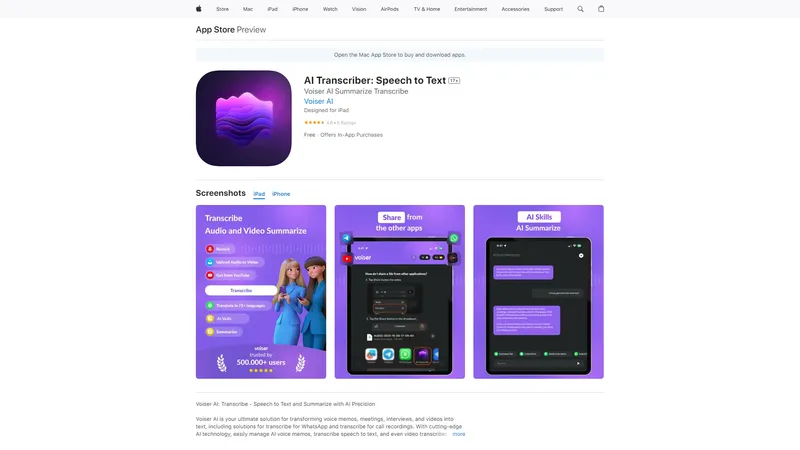

Image to Video AI - Transform Images into Videos with AI | Top 4 AI Tool loading
Image to Video AI is a revolutionary tool that leverages cutting-edge AI technology to transform your images into high-quality videos effortlessly. Designed for both hobbyists and professionals, this tool offers seamless transitions, stunning visuals, and a user-friendly interface. Whether you're exploring new creative avenues or enhancing your projects, Image to Video AI is your go-to solution. Its advanced AI capabilities ensure smooth transitions and professional-quality results, making it a game-changer in video creation. The tool is not only powerful but also versatile, catering to a wide range of creative needs. With just a few clicks, you can upload your images, create videos, and download or share them directly from the site. Image to Video AI also supports image merging and AI hug video generation, adding unique features to its repertoire. The open-source nature of the tool allows for community contributions and continuous improvement. Future updates promise HD support, enhanced image-to-video capabilities, and improved user control, ensuring that Image to Video AI remains at the forefront of video generation technology. Try it for free on our playground and experience the future of video creation today.
AI Video Generator
Freemium
Hume AI - Empathic AI for voice and text interactions | Top 4 AI Tool loading
Hume AI is a cutting-edge technology company specializing in empathic AI solutions for voice and text interactions. Their flagship product, OCTAVE (Omni-Capable Text and Voice Engine), is a next-generation speech-language model that combines advanced capabilities in voice generation, personality creation, and real-time interaction. OCTAVE can generate voices and personalities from descriptive prompts or brief recordings, enabling rich and authentic communication. It is designed to power AI systems that interact with humans in a nuanced and emotionally intelligent manner. Hume AI also offers the Empathic Voice Interface (EVI), which provides real-time, customizable voice intelligence for various applications. With a focus on emotional intelligence, Hume AI's solutions are ideal for industries such as healthcare, customer service, and consumer applications. The company is committed to advancing AI research and providing tools that enhance human-AI interactions.
AI Voice Cloning
Pay-per-use
Kirkify - Turn any face into Charlie Kirk in seconds | Top 4 AI Tool loading
Kirkify is a web-based AI face swap platform that has rapidly become the definitive tool for creating Charlie Kirk-themed memes. The service allows anyone to upload a photo and transform every face into the instantly recognizable likeness of Charlie Kirk, a process known as Kirkification. Built on Replicate-hosted face-swap models, Kirkify delivers consistent, share-ready results in typically under 30 seconds. The platform is designed to be ready to use from the moment a visitor lands on the homepage: no account creation, no credit card, and no desktop software are required for the first free Kirkification. This low-friction approach has helped Kirkify ride the viral wave on TikTok, X, Reddit, and Threads, where the Kirkification trend has generated millions of impressions. Website Positioning Kirkify positions itself as the most accessible and focused Charlie Kirk face swap tool on the internet. Unlike general-purpose face swap apps that require complex settings or manual masking, Kirkify does one thing exceptionally well: it detects all faces in an uploaded image and applies a single consistent Charlie Kirk reference look. This focus makes Kirkify more efficient for meme creators who need instantly recognizable results without learning a full editing suite. The site emphasizes speed, simplicity, and virality. Headlines such as Free to try, no sign-up required and Join millions creating viral Kirkified memes underline its ambition to be the default choice for anyone participating in the Kirkification trend. The brand voice is playful, direct, and tailored to internet culture, which resonates with its core audience of social media users. Target Audience Kirkify's primary audience includes meme creators, TikTok and X influencers, political satire enthusiasts, and everyday users who want to prank friends. The tool also appeals to content marketers looking to jump on viral trends, small social media teams, and bloggers who need quick visual gags. Because Kirkify requires no technical skill, its audience ranges from teenagers sharing group chat jokes to professional content creators producing daily posts. The free first credit and free queue option lower the barrier for casual users, while the credit-based paid model supports power users who need faster processing and batch output. The site's blog and how-to guides further serve beginners who are discovering the Kirkification trend for the first time. Students, office workers, and meme page administrators all find Kirkify accessible because it strips away the complexity of traditional photo editing. Core Features Kirkify's feature set is deliberately streamlined but effective. The main workspace is a drag-and-drop upload area that accepts JPG, PNG, and WEBP files up to 8MB. Once an image is uploaded, the automated AI detects every face, regardless of whether the user selects single face or multiple faces mode. GIF support is listed as coming soon, which would extend the tool to animated memes. The face swap engine uses facial landmark mapping and style transfer to impose a consistent Charlie Kirk look. Most jobs complete in under 30 seconds, and the output is delivered as a downloadable PNG or shareable link. The platform also offers a free queue option that processes images without consuming credits, albeit at a slower pace. A built-in showcase gallery displays community-created Kirkified images, providing inspiration and demonstrating the tool's capabilities. An AI Video generator is linked as a secondary tool for creating videos from text or images, extending the brand's utility. The consistency of the output is a key technical advantage. Kirkify uses one reference image for all renders, which ensures that every Kirkified face looks exactly the same across selfies, group shots, and different lighting conditions. This single-source policy is what makes Kirkify memes instantly recognizable and highly shareable. The platform's dependence on Replicate-hosted models means that processing is handled on robust cloud infrastructure, allowing users to get results without installing anything. The site maintains transparency by linking to Replicate's documentation, signaling a commitment to technical reliability. Content Features Beyond the core face swap tool, Kirkify offers a growing content ecosystem. The Showcase page is a gallery of user-generated Kirkified images that serves as social proof and inspiration. The Blog contains articles, tips and tricks, and step-by-step tutorials on how to make the most of Kirkification. Topics likely include best practices for choosing source photos, optimizing memes for different platforms, and staying within satire and fair use boundaries. The site also provides dedicated landing pages for related tools, such as Kirkify AI Free, Kirkify AI Online, and Kirkify AI Generator, each targeting specific search intents. The footer includes a link to an About page, Contact, Pricing, Privacy Policy, Terms of Service, Refund Policy, and Refund Application, indicating a commitment to transparency and user trust. This content depth helps Kirkify rank in search engines and establishes it as an authoritative resource for the Kirkification trend. The existence of a How to Kirkify tutorial page and multiple guides demonstrates the platform's investment in user education. User Experience Kirkify's user experience is intentionally intuitive and frictionless. The homepage immediately presents the workspace with a clear call to action: Start Kirkifying Free. Users can drag and drop an image without creating an account, which is rare among AI tools. The interface uses simple language, large buttons, and visual cues to guide users through the three-step process: upload, AI transformation, download and share. The free first credit is prominently advertised, and the free queue option ensures that even users who run out of credits can still use the service. The automated nature of the face swap means users never need to manually select facial landmarks or adjust settings. This level of simplicity makes Kirkify accessible to non-technical users while still delivering professional-quality memes. The inclusion of a 2 Credits indicator for signed-in users suggests a lightweight dashboard for tracking usage, though the full account features are not detailed in the homepage content. The overall user experience is designed for speed. From landing on the page to downloading a finished meme, the entire workflow can take under a minute. This aligns with the needs of social media users who want to post timely reactions to news events or trending topics. The absence of a mandatory signup eliminates a major drop-off point, and the promise of no credit card required reduces risk perception. For users who do create an account, the credit system likely provides a history of generated images and faster access to premium features. Kirkify's seamless transition from upload to result makes it a favorite among users who value convenience over complexity. Technical Features Technically, Kirkify leverages Replicate's face-swap model, which is a hosted machine learning API. This architecture allows the site to offload GPU-intensive processing to Replicate's servers, ensuring consistent performance regardless of the user's device. The model is specifically tuned to replace all faces in an image with a single Charlie Kirk reference look. The output format is PNG, which supports high-quality downloads suitable for sharing on social platforms. The input size limit of 8MB covers most smartphone photos and web images, and the supported formats (JPG, PNG, WEBP) align with common web standards. The automated face detection uses facial landmark mapping, a technique that identifies key points on each face to ensure accurate alignment and blending. This results in natural-looking swaps that preserve the original photo's lighting and proportions, which is essential for the meme to be both recognizable and funny. The site's technical implementation also includes a queue system. Free users can either spend a credit for rapid processing or join a free queue that processes images when server capacity allows. This dual-track system enables Kirkify to offer free access while incentivizing paid credits for priority processing. The Replicate integration likely includes webhook callbacks or polling to update users when their image is ready, as indicated by the Queue status updates show progress feature. This transparent feedback loop keeps users informed and reduces frustration. The API model codeplugtech/face-swap is mentioned openly, giving technically inclined users confidence in the underlying technology. Pricing and Accessibility Kirkify uses a freemium pricing model. New users receive one free Kirkification credit with no credit card required, which serves as a trial. Additional swaps can be obtained either by waiting in the free queue or by purchasing credit packs. The exact pricing tiers are available on the Pricing page, but the homepage emphasizes the free entry point and the optional paid credits for faster processing. This model is well-suited to a viral tool because it allows massive adoption without upfront cost while monetizing power users who need volume or speed. The 2 Credits indicator suggests that signed-in users can see their balance, and the presence of a Refund Policy and Refund Application page indicates a mature billing system. For casual users, the free queue is a practical option that keeps the tool accessible even after the initial free credit is spent. The intuitive credit system is easy to understand and aligns with the pay-per-use expectations of internet users. Value Proposition Kirkify's value proposition is straightforward: it offers the simplest and fastest way to create Charlie Kirk face swaps for social media. Compared to general-purpose image editors or other face swap tools, Kirkify saves time, removes technical barriers, and produces consistent results that are optimized for virality. The ready to use nature of the platform means users can create a meme in seconds, not minutes. The automated face detection eliminates manual work, making it more efficient than manual Photoshop alternatives. The intuitive interface ensures that even first-time visitors can succeed, while the tips and tricks on the blog help users refine their meme-making skills. The seamless integration with Replicate's cloud infrastructure guarantees reliable processing on any device, and the single reference image policy ensures that every Kirkified face is instantly recognizable. For content creators, marketers, and casual pranksters alike, Kirkify delivers a unique combination of speed, consistency, and fun. It is not merely a face swap tool; it is a social media trend enabler that turns ordinary photos into shareable cultural moments. Conclusion In summary, Kirkify is a focused, ready to use AI face swap tool that has captured the viral Kirkification trend. Its automated, intuitive, and seamless workflow transforms any photo into a Charlie Kirk meme in under 30 seconds, with no signup required for the first use. The freemium model, free queue, and credit-based paid options make it accessible to casual users and power users alike. The site's content ecosystem, including showcase gallery, blog, and dedicated guides, provides added value and SEO strength. With robust technical underpinnings from Replicate and a clear understanding of internet culture, Kirkify is poised to remain the definitive platform for Charlie Kirk transformations. Whether you are a meme creator, a marketer, or just someone who wants to prank friends, Kirkify offers a practical, efficient, and genuinely entertaining way to join the trend.
Photo & Image Editor
Freemium
AI Facefy | Top 4 AI Tool loading
AI Facefy is a cutting-edge platform that offers free and secure online face swapping services. Utilizing advanced artificial intelligence, AI Facefy enables users to seamlessly swap faces in photos and videos, creating realistic and entertaining content. Whether you're looking to create fun memes, engage in cosplay, or enhance your social media presence, AI Facefy provides a user-friendly interface and quick processing times. The platform ensures privacy by deleting uploaded photos within 24 hours and offers high-quality output with natural facial expressions. With features like seamless face replacement, creative possibilities, and support for various media formats, AI Facefy is a versatile tool for both casual users and content creators. Discover the endless creative opportunities and transform your images and videos with AI Facefy today.
AI Face Swap Generator
Freemium
WanX AI Video - Create Stunning Videos with Wan 2.1 AI Technology | Top 4 AI Tool loading
WanX AI Video leverages the advanced Wan 2.1 AI technology to transform text, images, and existing videos into cinematic-quality videos in minutes. This platform is designed to be more efficient, offering users the essential tools to streamline their video production process. With features like text-to-video, image-to-video, and video editing, WanX AI Video is the most efficient solution for creators, marketers, and businesses looking to produce high-quality videos without the need for extensive technical skills. The intuitive interface and seamless integration of advanced AI capabilities make it easy for users to create professional videos in just three simple steps. Whether you're a beginner or a seasoned professional, WanX AI Video provides practical solutions to reduce production time and optimize output quality.
AI Video Editor
Subscription
Recall.ai | Top 4 AI Tool loading
Recall.ai is a cutting-edge platform that enables developers to integrate AI-driven bots into video conferences. These bots can generate and stream low-latency audio and video, making them ideal for creating interactive AI agents that can listen and react to meetings in real-time. Recall.ai's Output Media functionality allows any web-app to be rendered into ultra-low-latency audio and video, which can then be streamed into video conferences. This capability opens up a wide range of use-cases, from AI-powered sales agents to coaches and recruiters. The platform supports multiple video conferencing platforms, including Zoom, Google Meet, Microsoft Teams, and Webex, providing comprehensive access to conversation data such as audio, video, transcripts, and metadata with just one API call. Recall.ai is designed for developers looking to enhance their video conferencing experiences with AI, offering easy integration and a variety of sample repositories to get started quickly.
AI Developer Tools
Freemium

Frequently Asked Questions

What is MaoMaoYu Top4 AI Tools Directory?

Top 4 AI — '4' means 'For', MaoMaoYu Top For AI Tools Directory - top4ai.com is building an ai tools directory that helps you get your favorite ai tools, free ai tools list. It can get best ai writing tools, best free ai tools for writing articles, content at scale ai detector, best ai email marketing tools, ai paraphrasing tools, best ai seo tools, ai study tools, 'pearson' and 'ai' and 'study tools', ai generator tools, ai hashtags generator tools, best ai tools for research, ai art tools, ai music tools, ai video editing tools, ai pair coding tools, ai photo tools, ai tools for detecting photoshopped imagers, best ai tools for start up companies who are researching their market and more here.

How to found your ai tools in MaoMaoYu Top4 AI tools directory?

1. Open top4ai.com.

2. Explore the ai tools in the MaoMaoYu Top4 AI tools directory.

3. Click the ai tools that you need to get the detail and visit it.

What are the main features of MaoMaoYu Top4 AI Tools Directory?

1. Explore a simple definition of AI tools and discover how to fast find the perfect one for your needs. Streamline your workflow with the right AI solution.

2. Intelligent Search Engine: Thinking of what you think, saving you time, saving you trouble

Is it free to submit ai tools to MaoMaoYu Top4 AI Tools Directory?

Yes, it's free currently.

What's the categories list of AI Tools that MaoMaoYu Top4 AI Tools Directory support?

We will support all kinds of AI Tools later. Please wait for a few days.

What's the frequency for the up of AI tools in MaoMaoYu Top4 AI Directory?

The list of AI tools will be updated daily.

Is it support QuillBot, GPT-4o or Sora AI here?

You can get the QuillBot, GPT-4o or Sora AI tool here. Here is the introduction of GPT-4o and Sora video, and you can visit the website of the tools.

Troubleshooting

If the content aren't appearing, try a different browser, clear your cache. If issues persist, contact us at [email protected] | [email protected].

What are the usage rights of the AI tools?

MaoMaoYu Top4 AI Tools Directory is just the AI Directory for AI tools. The usage rights of the AI tools are based on the AI tools' website.