2024-12-18 09:43:29
Whisk | Visualize and remix ideas using images and AI
Categories
เครื่องกำเนิดภาพและภาพถ่าย AIการออกแบบกราฟิก AIตัวเพิ่มประสิทธิภาพภาพ AIตัวสร้างศิลปะ AI
Users of this tool
Artists and designers looking for a new creative toolContent creators and social media managersProduct designers and merchandisersEducators and students exploring visual storytellingHobbyists and casual users interested in digital art
PricingType
Freemium

Links

  1. Documentation: https://blog.google/technology/google-labs/

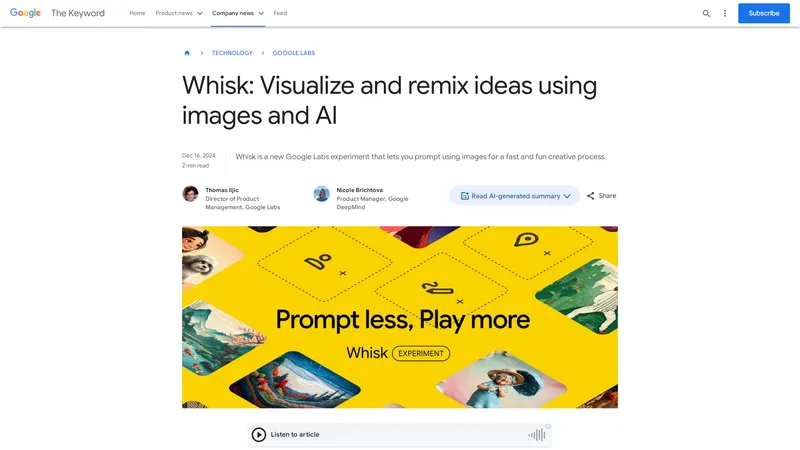
Whisk is a cutting-edge generative AI tool developed by Google Labs that allows users to create unique images by inputting images instead of text prompts. This innovative platform enables users to drag and drop images for the subject, scene, and style, remixing them to produce something entirely new. Whisk leverages Google's advanced AI models, including Gemini for detailed captioning and Imagen 3 for image generation, to capture the essence of the input images, facilitating creative exploration and rapid visual ideation. Designed for artists, designers, and anyone seeking a new way to visualize and remix ideas, Whisk is a fun and intuitive tool for generating digital art, custom designs, and more. Currently available in the United States, Whisk is part of Google Labs' ongoing experiments in generative AI, inviting users to provide feedback and shape the future of creative tools.

Top Features

  1. Image-based prompt generation
  2. Drag-and-drop interface for subject, scene, and style
  3. AI-powered captioning with Gemini
  4. Image generation with Imagen 3
  5. Essence-based remixing for creative exploration

Simple Definition of Usecases

  1. Creating digital art for personal projects or portfolios
  2. Designing custom merchandise such as enamel pins or stickers
  3. Generating visual content for social media posts
  4. Exploring visual storytelling in educational settings
  5. Experimenting with new artistic styles and concepts

Frequently Asked Questions

Q:

How does Whisk differ from other image generation tools?

A:

Whisk allows users to generate images by inputting images rather than text prompts, offering a unique approach to creative exploration.

Q:

What AI models does Whisk use?

A:

Whisk uses Gemini for detailed captioning and Imagen 3 for image generation.

Q:

Can I edit the generated images?

A:

While Whisk is not a traditional image editor, you can view and edit the underlying prompts to refine the output.

Q:

Who is Whisk designed for?

A:

Whisk is designed for artists, designers, content creators, educators, and anyone interested in exploring visual ideas.

Q:

Where can I try Whisk?

A:

Whisk is currently available in the United States at labs.google/whisk.

Related AI Tools

Whisk - สร้างและผสมไอเดียด้วยภาพและ AI | Top 4 AI Tool loading
Whisk เป็นเครื่องมือใหม่จาก Google Labs ที่ช่วยให้คุณสร้างภาพโดยใช้ภาพเป็นตัวกระตุ้น แทนที่จะใช้ข้อความยาวๆ คุณสามารถลากและวางภาพสำหรับหัวเรื่อง ฉาก และสไตล์ จากนั้นผสมผสานเพื่อสร้างผลงานที่เป็นเอกลักษณ์ของคุณเอง Whisk ใช้โมเดล Gemini เพื่อเขียนคำอธิบายภาพโดยอัตโนมัติ และส่งคำอธิบายเหล่านั้นไปยังโมเดลสร้างภาพ Imagen 3 ของ Google เพื่อสร้างภาพสุดท้าย กระบวนการนี้จับแก่นแท้ของภาพของคุณ ไม่ใช่การสร้างภาพที่เหมือนกันทุกประการ ทำให้คุณสามารถผสมผสานหัวเรื่อง ฉาก และสไตล์ได้อย่างอิสระ Whisk ออกแบบมาเพื่อการสำรวจความคิดสร้างสรรค์อย่างรวดเร็ว ไม่ใช่การแก้ไขภาพแบบพิกเซลเป๊ะ คุณสามารถลองใช้ Whisk ได้ที่ labs.google/whisk หากคุณอยู่ในสหรัฐอเมริกา และแบ่งปันความคิดเห็นของคุณกับเรา
ตัวสร้างศิลปะ AI
Free
Yevideo AI - Perfect AI Video & Image Studio, Ready to Use | Top 4 AI Tool loading
Yevideo is an all-in-one AI video and AI image creation platform that aggregates multiple state-of-the-art generative AI models into a single, cohesive studio. Designed for creatives, marketers, and developers, the platform provides a streamlined and intuitive workflow for transforming text prompts, images, and reference videos into high-quality visual content. Yevideo distinguishes itself by not just exposing raw AI models, but by curating them with clear use-case recommendations, estimated credit costs, and an integrated workspace that simplifies the creative process. The platform supports an extensive range of tasks including text-to-image, image-to-image, text-to-video, image-to-video, video-to-video, and AI video editing. Users can generate content using models like Google's Veo 3.1 and Gemini Omni Video, ByteDance's Seedance 2.0, Kuaishou's Kling 3.0, and image models like Google's Nano Banana Pro and OpenAI's GPT Image 2. The introduction of a 'Gemini Omni Video' model, which leverages Gemini's world knowledge and physics reasoning, underscores Yevideo's commitment to integrating the most advanced capabilities. A key feature for new users is the welcome bonus of free credits, allowing them to test the platform without immediate financial commitment. For professional users, Yevideo offers a practical and efficient alternative to using multiple, disparate AI tools, centralizing project management, credit tracking, and output history. The platform's pricing operates on a credit-based system, where each generation (image or video) consumes a specific amount of credits based on the complexity and model chosen. This credits system provides a pay-per-use feel, ensuring users only pay for what they generate. Yevideo also explicitly grants commercial usage rights to paid subscribers, making it a viable tool for businesses creating marketing assets, social media content, and product visuals. The platform's user interface is designed to be intuitive, with clear model cards that outline each model's strengths, such as 'Best for motion imitation' or 'Best for text rendering in images'. This guided approach helps users select the right tool for their specific task, reducing the learning curve typically associated with advanced AI generation. Furthermore, Yevideo includes a 'daily check-in' feature and feedback rewards, encouraging community engagement and providing ongoing value to its user base. The platform actively seeks user feedback to refine its offerings and has a visible roadmap for future features like an invite program. By aggregating diverse AI models under one roof and providing a seamless, integrated user experience, Yevideo positions itself as the definitive solution for anyone looking to harness the power of AI for visual content creation.
เครื่องกำเนิดวิดีโอ AI
Freemium
Google Labs | State-of-the-art video and image generation with Veo 2 and Imagen 3 | Top 4 AI Tool loading
Google Labs introduces Veo 2 and Imagen 3, cutting-edge models for video and image generation. These models, available in tools like VideoFX, ImageFX, and Whisk, offer unparalleled realism and creativity, empowering users to bring their ideas to life with stunning visuals. Whether you're a content creator, filmmaker, or business professional, these tools provide the tools to enhance your creative workflows and storytelling.
เครื่องกำเนิดวิดีโอ AI
Freemium
Imagen 3 - Google DeepMind - Highest quality text-to-image AI model | Top 4 AI Tool loading
Imagen 3, developed by Google DeepMind, represents the pinnacle of text-to-image AI technology. This state-of-the-art model is designed to generate images with unparalleled detail, richer lighting, and fewer artifacts compared to its predecessors. Imagen 3 excels in understanding complex prompts, enabling it to produce a wide range of visual styles, from photorealistic landscapes to whimsical claymation scenes. With advancements in color balance, diverse art styles, and high-fidelity detail, Imagen 3 is a versatile tool for creators, designers, and developers. Its robust safety measures, including SynthID watermarking, ensure responsible AI usage. Whether for artistic projects, educational purposes, or commercial applications, Imagen 3 sets a new standard in AI-generated imagery.
เครื่องกำเนิดภาพและภาพถ่าย AI
Pay-per-use
AI Art Generator: Photo, Draw - ปล่อยให้ความคิดสร้างสรรค์ของคุณโลดแล่น สร้างภาพ AI ที่น่าทึ่งในไม่กี่วินาที! | Top 4 AI Tool loading
AI Art Generator: Photo, Draw เป็นแอปพลิเคชันที่ออกแบบมาเพื่อช่วยให้คุณสร้างสรรค์ผลงานศิลปะที่โดดเด่นและไม่เหมือนใครด้วยเทคโนโลยี AI ที่ทันสมัย ไม่ว่าคุณจะต้องการออกแบบโลโก้ สร้างภาพการ์ตูน ภาพโปรไฟล์ ภาพสัก หรือแม้แต่ภาพแนวแฟนตาซี แอปนี้สามารถตอบโจทย์ทุกความต้องการของคุณได้อย่างง่ายดาย ด้วยคุณสมบัติที่หลากหลาย เช่น การแปลงคำพูดเป็นภาพ การแปลงรูปถ่ายเป็นภาพศิลปะ การเปลี่ยนใบหน้าแบบ AI การสร้างอวาตาร์ และการใช้งานฟิลเตอร์ AI ที่น่าทึ่ง แอปนี้จะช่วยให้คุณสร้างสรรค์ผลงานศิลปะที่สวยงามและน่าประทับใจในเวลาเพียงไม่กี่วินาที นอกจากนี้ แอปยังมีสไตล์ศิลปะให้เลือกมากมาย ไม่ว่าจะเป็น 3D rendering, anime, sketching, หรือ realism เพื่อให้คุณสามารถสร้างสรรค์ผลงานที่ตรงกับสไตล์ของคุณได้อย่างสมบูรณ์แบบ
เครื่องกำเนิดอวาตาร์ AI
Freemium
Editaimg - โปรแกรมแก้ไขรูปภาพด้วย AI ที่ง่ายที่สุด | Top 4 AI Tool loading
editaimg คือโปรแกรมแก้ไขรูปภาพด้วย AI ที่ออกแบบมาเพื่อให้ทุกคนสามารถสร้างผลงานระดับมืออาชีพได้อย่าง **ง่ายดาย** และ **มีประสิทธิภาพ** โดยไม่ต้องมีทักษะด้านการออกแบบมาก่อน เพียงอัปโหลดรูปภาพและพิมพ์คำอธิบายสิ่งที่คุณต้องการลงในช่องคำสั่ง AI ของเราจะจัดการส่วนที่เหลือให้คุณทันที ไม่ว่าจะเป็นการลบพื้นหลัง การลบวัตถุที่ไม่ต้องการ การปรับขนาดความละเอียด การเปลี่ยนสไตล์ หรือการเพิ่มบุคคลลงในรูปภาพ editaimg มอบเครื่องมือที่ครบครันในที่เดียว เว็บไซต์นี้มุ่งเน้นการทำให้การทำงานกับรูปภาพ **Streamline** มากที่สุด โดยมีฟีเจอร์ที่ **Practical** และ **Concise** เช่น การลบลายน้ำ Gemini, การแปลข้อความในรูปภาพเป็นกว่า 130 ภาษา, การสร้างภาพจูบด้วย AI (AI Kiss Generator), การเพิ่มหิมะเสมือนจริง และการแทนที่ข้อความในภาพโดยคงรูปแบบดั้งเดิมไว้ จุดเด่นของ editaimg คือความ **Simple** ที่ไม่ต้องสมัครสมาชิก สามารถซื้อเครดิตแบบครั้งเดียว (One-time Payment) และใช้ได้ตลอดไปโดยเครดิตไม่มีวันหมดอายุ ซึ่งเหมาะอย่างยิ่งสำหรับผู้ที่ต้องการเครื่องมือที่ **Ready to use** ได้ทันที **การวางตำแหน่งเว็บไซต์:** editaimg วางตำแหน่งตัวเองเป็นเครื่องมือ AI สำหรับมวลชน (Mass-market AI tool) ที่เน้นการใช้งานที่สะดวก รวดเร็ว และไม่ซับซ้อน แตกต่างจากโปรแกรมแก้ไขภาพแบบดั้งเดิม (เช่น Photoshop) ที่มีขั้นตอนมากมาย editaimg เน้นการเปลี่ยนคำสั่งภาษาให้เป็นภาพจริงในไม่กี่วินาที **กลุ่มเป้าหมาย:** กลุ่มเป้าหมายหลักคือ ผู้สร้างเนื้อหา (Content Creator), นักการตลาดออนไลน์, เจ้าของธุรกิจ E-commerce, นักเรียนนักศึกษา, และผู้ใช้ทั่วไปที่ต้องการแก้ไขรูปภาพอย่างรวดเร็วโดยไม่ต้องเรียนรู้ซอฟต์แวร์ที่ซับซ้อน **ฟีเจอร์หลัก:** * **AI Image Editor หลัก:** แก้ไขรูปภาพด้วยคำสั่งภาษา (Prompt-based editing) * **ลบพื้นหลัง:** ลบพื้นหลังออกและเปลี่ยนเป็นสีขาวหรือพื้นหลังอื่นๆ ได้อัตโนมัติ * **ลบวัตถุ/คน:** ลบวัตถุหรือบุคคลที่ไม่ต้องการออกจากภาพอย่างชาญฉลาด * **ปรับขนาดความละเอียด (Upscale):** เพิ่มความละเอียดของภาพให้คมชัดยิ่งขึ้น * **เปลี่ยนสไตล์ (Style Transform):** เปลี่ยนรูปแบบภาพ เช่น การ์ตูน, สีน้ำมัน, หรือภาพยนตร์ * **เครื่องมือพิเศษ:** AI Kiss Generator, Gemini Watermark Remover, Image Text Editor, AI Image Translator, AI Snow, Add Someone to Photo **ลักษณะเนื้อหา:** เนื้อหาบนเว็บไซต์เน้นการสาธิตการใช้งานทีละขั้นตอน (Tutorial) อย่างชัดเจน และมีตัวอย่าง Before/After ที่เห็นผลชัดเจน เพื่อให้ผู้ใช้เข้าใจถึงความสามารถของเครื่องมือได้ทันที นอกจากนี้ยังมีบล็อกที่ให้ **Tips and Tricks** และคำแนะนำเพิ่มเติมเพื่อให้ได้ผลลัพธ์ที่ดีที่สุด **ประสบการณ์ผู้ใช้ (UX):** หน้าเว็บออกแบบให้ใช้งานง่าย เน้นพื้นที่สำหรับอัปโหลดภาพและช่องคำสั่งเป็นหลัก ผู้ใช้สามารถลากและวาง (Drag & Drop) รูปภาพลงในพื้นที่ที่กำหนด หรือคลิกเพื่อเลือกไฟล์ ขั้นตอนการทำงานมีเพียง 4 ขั้นตอน: อัปโหลดภาพ -> พิมพ์คำสั่ง -> เลือกการตั้งค่า -> กดปุ่ม 'Edit' เพื่อรับผลลัพธ์ ซึ่งออกแบบมาเพื่อ **Optimize** เวลาในการทำงานของผู้ใช้ให้มากที่สุด **ลักษณะทางเทคนิค:** editaimg ทำงานผ่านเบราว์เซอร์ (Cloud-based) โดยไม่ต้องติดตั้งซอฟต์แวร์ใดๆ รองรับการอัปโหลดภาพครั้งละสูงสุด 8 รูป โดยแต่ละรูปมีขนาดไม่เกิน 50MB ระบบใช้เครดิตในการประมวลผลแต่ละครั้ง โดยเครดิตไม่มีวันหมดอายุ ซึ่งเป็นรูปแบบที่ **Convenient** และยืดหยุ่นสำหรับผู้ใช้ที่ไม่ต้องการผูกมัดกับค่าสมัครรายเดือน สรุปแล้ว editaimg คือโซลูชันที่ **Effective** สำหรับทุกคนที่ต้องการ **Simplify** กระบวนการแก้ไขรูปภาพ ด้วยเทคโนโลยี AI ที่ทรงพลังแต่ใช้งานง่าย ราคาจับต้องได้ และไม่มีค่าธรรมเนียมแอบแฝง
โปรแกรมแก้ไขภาพและภาพถ่าย
One-time purchase
Gemini 2.5 Flash Image - สร้างภาพด้วย AI ที่น่าทึ่งด้วยเทคโนโลยีของ Google | Top 4 AI Tool loading
Gemini 2.5 Flash Image เป็นเครื่องมือสร้างภาพด้วย AI ที่พัฒนาโดย Google DeepMind ซึ่งใช้เทคโนโลยีขั้นสูงในการสร้างภาพระดับมืออาชีพจากข้อความหรือรูปภาพที่คุณป้อน ด้วยความสามารถในการรักษาความสม่ำเสมอของตัวละคร การรวมภาพหลายภาพเข้าด้วยกัน และการแก้ไขภาพด้วยภาษาธรรมชาติ Gemini 2.5 Flash Image จึงเป็นเครื่องมือที่เหมาะสำหรับนักออกแบบกราฟิก, นักสร้างเนื้อหา, และผู้เชี่ยวชาญด้านการตลาดที่ต้องการสร้างภาพคุณภาพสูงอย่างรวดเร็วและมีประสิทธิภาพ เครื่องมือนี้ไม่เพียงแต่ช่วยประหยัดเวลา แต่ยังเปิดโอกาสให้คุณได้สร้างสรรค์ผลงานที่โดดเด่นและเป็นเอกลักษณ์ด้วยเทคโนโลยี AI ที่ล้ำสมัย
เครื่องกำเนิดภาพและภาพถ่าย AI
Subscription
Image to Prompt - สร้างคำสั่ง AI ที่สมบูรณ์แบบจากรูปภาพของคุณ | Top 4 AI Tool loading
Image to Prompt เป็นเครื่องมือที่ช่วยให้คุณสร้างคำสั่ง AI ที่สมบูรณ์แบบสำหรับการสร้างภาพด้วย AI ด้วยเทคโนโลยีขั้นสูงของเรา คุณสามารถแปลงรูปภาพใด ๆ ให้กลายเป็นคำสั่งที่ได้รับการปรับแต่งอย่างละเอียด เพื่อให้ได้ภาพที่คล้ายกับรูปอ้างอิงของคุณ ใช้งานง่าย รวดเร็ว และมีประสิทธิภาพ ไม่จำเป็นต้องมีความรู้ทางเทคนิคใด ๆ เพียงอัปโหลดรูปภาพ เลือกโมเดล AI ที่ต้องการ และรับคำสั่งที่สมบูรณ์แบบทันที เครื่องมือของเรารองรับโมเดล AI หลายประเภท รวมถึง GPT-Image, Stable Diffusion และ Flux ทำให้คุณสามารถสร้างภาพที่ตรงกับความต้องการของคุณได้อย่างแม่นยำ นอกจากนี้ เรายังมีฟีเจอร์การปรับปรุงคำสั่งที่สามารถเปลี่ยนคำสั่งพื้นฐานให้กลายเป็นคำสั่งที่ละเอียดและครอบคลุมมากขึ้น เพื่อให้ได้ภาพที่มีคุณภาพสูงขึ้น Image to Prompt เหมาะสำหรับผู้สร้างเนื้อหา ศิลปินดิจิทัล นักออกแบบ และทุกคนที่ต้องการสร้างภาพด้วย AI อย่างมืออาชีพ
Prompt
One-time purchase

Frequently Asked Questions

What is MaoMaoYu Top4 AI Tools Directory?

Top 4 AI — '4' means 'For', MaoMaoYu Top For AI Tools Directory - top4ai.com is building an ai tools directory that helps you get your favorite ai tools, free ai tools list. It can get best ai writing tools, best free ai tools for writing articles, content at scale ai detector, best ai email marketing tools, ai paraphrasing tools, best ai seo tools, ai study tools, 'pearson' and 'ai' and 'study tools', ai generator tools, ai hashtags generator tools, best ai tools for research, ai art tools, ai music tools, ai video editing tools, ai pair coding tools, ai photo tools, ai tools for detecting photoshopped imagers, best ai tools for start up companies who are researching their market and more here.

How to found your ai tools in MaoMaoYu Top4 AI tools directory?

1. Open top4ai.com.

2. Explore the ai tools in the MaoMaoYu Top4 AI tools directory.

3. Click the ai tools that you need to get the detail and visit it.

What are the main features of MaoMaoYu Top4 AI Tools Directory?

1. Explore a simple definition of AI tools and discover how to fast find the perfect one for your needs. Streamline your workflow with the right AI solution.

2. Intelligent Search Engine: Thinking of what you think, saving you time, saving you trouble

Is it free to submit ai tools to MaoMaoYu Top4 AI Tools Directory?

Yes, it's free currently.

What's the categories list of AI Tools that MaoMaoYu Top4 AI Tools Directory support?

We will support all kinds of AI Tools later. Please wait for a few days.

What's the frequency for the up of AI tools in MaoMaoYu Top4 AI Directory?

The list of AI tools will be updated daily.

Is it support QuillBot, GPT-4o or Sora AI here?

You can get the QuillBot, GPT-4o or Sora AI tool here. Here is the introduction of GPT-4o and Sora video, and you can visit the website of the tools.

Troubleshooting

If the content aren't appearing, try a different browser, clear your cache. If issues persist, contact us at support@top4ai.com | support@maomaoyu.coffee.

What are the usage rights of the AI tools?

MaoMaoYu Top4 AI Tools Directory is just the AI Directory for AI tools. The usage rights of the AI tools are based on the AI tools' website.