2024-12-28 05:44:58
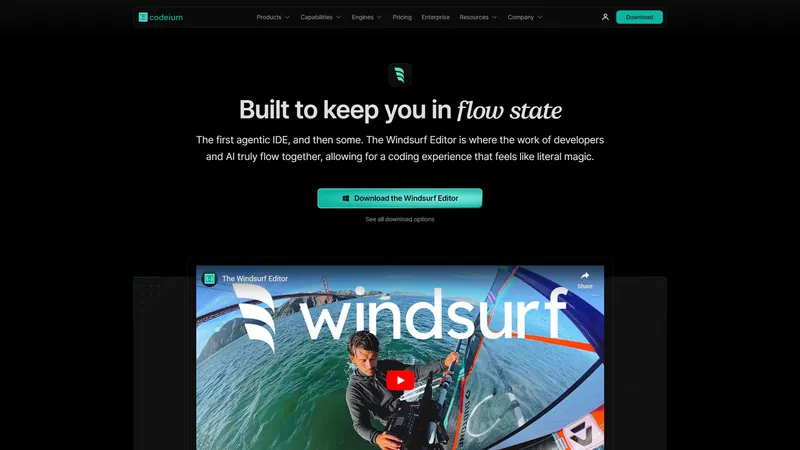
Windsurf Editor by Codeium - The first agentic IDE for seamless AI-human coding
Categories
ผู้ช่วยโค้ด AIเครื่องมือสำหรับนักพัฒนา AIคำอธิบายโค้ดเครื่องกำเนิดโค้ด AIการปรับปรุงโค้ด AI
Users of this tool
Professional developersSoftware engineering studentsTech startupsEnterprise development teamsOpen-source contributors
PricingType
Freemium

Links

  1. Login: https://codeium.com/account/login
  2. Documentation: https://docs.codeium.com/
  3. Pricing: https://codeium.com/pricing

The Windsurf Editor by Codeium is a revolutionary Integrated Development Environment (IDE) designed to enhance the coding experience by integrating advanced AI capabilities. It is the first agentic IDE that combines the collaborative features of a Copilot with the autonomous task-handling abilities of an Agent, creating a seamless flow between developers and AI. This editor is built to keep developers in a flow state, offering unmatched performance and a user experience that feels like magic. With features like Cascade, which provides deep contextual awareness, multi-file editing, and terminal command suggestions, the Windsurf Editor is not just the best AI-powered editor but the best editor period. It is available for Mac, Linux, and Windows, and offers a range of pricing options to suit different needs. Whether you are a professional developer, a student, or an enterprise, the Windsurf Editor is designed to elevate your coding experience to new heights.

Top Features

  1. Flows - AI that collaborates like a Copilot and acts independently like an Agent
  2. Cascade - deep contextual awareness and multi-file editing
  3. In-line Command + Follow ups
  4. Codelenses for quick code understanding and refactoring
  5. Supercomplete for predicting next actions
  6. All AI settings accessible in the status bar
  7. Command in Terminal for natural language instructions
  8. Highlighted code actions for direct refactoring
  9. @ mentions in Cascade for guiding context
  10. Free Cascade credits and Pro features on download

Simple Definition of Usecases

  1. Professional developers can use Cascade to handle complex codebases with deep contextual awareness, ensuring relevant suggestions and multi-file edits.
  2. Software engineering students can leverage Supercomplete to predict their next coding actions, making learning and coding more efficient.
  3. Tech startups can utilize the Windsurf Editor to streamline their development process, with AI-powered tools that enhance productivity and code quality.
  4. Enterprise development teams can benefit from the seamless integration of AI and human coding, ensuring a collaborative and efficient workflow.
  5. Open-source contributors can use the Windsurf Editor to manage large codebases, with features like multi-file editing and terminal command suggestions.

Frequently Asked Questions

Q:

What is Windsurf?

A:

Windsurf is the first agentic IDE by Codeium, designed to create a seamless flow between developers and AI, enhancing the coding experience with advanced AI capabilities.

Q:

Why did you build your own IDE? And why did you fork VS Code?

A:

We built our own IDE to integrate advanced AI capabilities seamlessly, and forked VS Code to leverage its robust foundation while adding unique features like Flows and Cascade.

Q:

How is this different from other solutions (Cursor, Cognition, etc)?

A:

Windsurf Editor combines the collaborative features of a Copilot with the autonomous task-handling abilities of an Agent, offering a unique flow state experience unmatched by other solutions.

Q:

Will this be available on the free Codeium plan post-GA?

A:

Availability on the free Codeium plan post-GA will be announced later. Please check our pricing page for updates.

Q:

Who can use this and what are the security guarantees?

A:

Windsurf Editor is available for professional developers, students, startups, and enterprises. We ensure top-notch security with industry-standard practices to protect your code and data.

Related AI Tools

TEN-Agent | Top 4 AI Tool loading
TEN Agent is a world-class multimodal AI agent integrated with the OpenAI Realtime API, RTC, and features weather checks, web search, vision, and RAG. It achieves ultra-low latency through the OpenAI Realtime API and ensures smooth, high-quality interactions with RTC's AI noise suppression. Additionally, the seamless integration of weather and news tools makes TEN Agent even more versatile. TEN Agent supports multi-language and multi-platform extension development in C++, Go, Python, etc., and runs on Windows, Mac, Linux, and mobile devices. It flexibly combines edge and cloud-deployed extensions, balancing privacy, cost, and performance. Easily build complex AI applications through simple drag-and-drop programming, integrating audio-visual tools, databases, RAG, and more. Real-time agent state management adjusts agent behavior dynamically for responsive interactions. TEN Agent offers a range of ready-to-use extensions, allowing users to easily create, connect, and edit extensions via the Graph Designer on the canvas.
เครื่องมือสำหรับนักพัฒนา AI
Freemium
Augment Code - แพลตฟอร์ม AI ที่ทรงพลังที่สุดสำหรับการพัฒนาซอฟต์แวร์ | Top 4 AI Tool loading
Augment Code เป็นแพลตฟอร์ม AI ที่ทรงพลังที่สุดสำหรับการพัฒนาซอฟต์แวร์ โดยมีเครื่องมือที่ช่วยให้คุณสามารถทำงานได้อย่างมีประสิทธิภาพและรวดเร็วขึ้น ด้วยเครื่องมือที่เรียกว่า Context Engine ที่เข้าใจโค้ดของคุณไม่ว่าจะมีขนาดใหญ่หรือเล็ก คุณสามารถทำงานได้ใน IDE ที่คุณชื่นชอบเช่น Visual Studio Code, JetBrains IDEs, Vim และ Neovim นอกจากนี้ยังมีการสนับสนุนการทำงานกับเครื่องมืออื่นๆ ในเวิร์กโฟลว์ของคุณ และสามารถทำงานในเทอร์มินัลได้อย่างอัตโนมัติ Augment Code ยังมีคุณสมบัติเช่น Smart Apply ที่ช่วยให้คุณสามารถนำเสนอการแก้ไขโค้ดได้ในคลิกเดียว และยังมีคุณสมบัติด้านความปลอดภัยและความเป็นส่วนตัวที่ทำให้โค้ดของคุณปลอดภัยโดยค่าเริ่มต้น ไม่ว่าคุณจะเป็นวิศวกรซอฟต์แวร์ที่ต้องการทำงานอย่างรวดเร็วหรือต้องการเครื่องมือที่ช่วยให้คุณสามารถทำงานได้อย่างแม่นยำ Augment Code คือคำตอบที่คุณกำลังมองหา
ผู้ช่วยโค้ด AI
Subscription
Gemini Code Assist - AI ช่วยเขียนโค้ดทุกภาษา | Top 4 AI Tool loading
Gemini Code Assist เป็นเครื่องมือช่วยเขียนโค้ดด้วย AI ที่ช่วยให้คุณเขียนโค้ดได้อย่างมีประสิทธิภาพมากขึ้น โดยไม่ต้องเสียค่าใช้จ่ายสำหรับผู้ใช้รายบุคคล หรือสำหรับธุรกิจที่ต้องการเครื่องมือที่มีความปลอดภัยในระดับองค์กร Gemini Code Assist มาพร้อมกับฟีเจอร์ที่หลากหลาย เช่น การช่วยเขียนโค้ดอัตโนมัติ การสร้างและแปลงโค้ดเต็มรูปแบบ การตรวจสอบและแก้ไขโค้ดใน GitHub และการสนทนาที่เข้าใจบริบทของโค้ดของคุณ นอกจากนี้ยังรองรับ IDE ที่หลากหลาย เช่น Visual Studio Code และ JetBrains IDEs ซึ่งช่วยให้คุณทำงานได้อย่างสะดวกและรวดเร็วขึ้น
เครื่องกำเนิดโค้ด AI
Subscription
AI Best Finder - ค้นหาเครื่องมือ AI ที่สมบูรณ์แบบสำหรับความต้องการของคุณ | Top 4 AI Tool loading
AI Best Finder เป็นแพลตฟอร์มที่ช่วยให้คุณค้นหาเครื่องมือ AI ที่เหมาะสมที่สุดสำหรับความต้องการของคุณ ด้วยฐานข้อมูลที่ครอบคลุมมากกว่า 500 เครื่องมือใน 20 หมวดหมู่ คุณสามารถค้นหาเปรียบเทียบและเลือกเครื่องมือ AI ที่ตรงกับความต้องการของคุณได้อย่างรวดเร็วและมีประสิทธิภาพ แพลตฟอร์มของเราได้รับการออกแบบมาเพื่อให้คุณสามารถค้นหาเครื่องมือ AI ที่เหมาะสมที่สุดด้วยการค้นหาที่ทรงพลังและการเปรียบเทียบที่ละเอียดถี่ถ้วน เรามีเครื่องมือที่ได้รับการทดสอบอย่างเข้มงวดโดยทีมผู้เชี่ยวชาญด้าน AI เพื่อให้คุณมั่นใจได้ว่าเครื่องมือที่คุณเลือกจะทำงานได้อย่างมีประสิทธิภาพและตรงกับความต้องการของคุณ นอกจากนี้เรายังมีรีวิวจากผู้ใช้จริงที่ช่วยให้คุณได้เห็นมุมมองของชุมชนเกี่ยวกับเครื่องมือต่างๆ ที่คุณสนใจ ไม่ว่าคุณจะเป็นมืออาชีพด้านการตลาด นักพัฒนาซอฟต์แวร์ หรือนักวิทยาศาสตร์ข้อมูล AI Best Finder จะช่วยให้คุณค้นหาเครื่องมือ AI ที่สมบูรณ์แบบสำหรับความต้องการของคุณได้อย่างง่ายดาย
เครื่องมือค้นหา AI
Free
Editaimg - โปรแกรมแก้ไขรูปภาพด้วย AI ที่ง่ายที่สุด | Top 4 AI Tool loading
editaimg คือโปรแกรมแก้ไขรูปภาพด้วย AI ที่ออกแบบมาเพื่อให้ทุกคนสามารถสร้างผลงานระดับมืออาชีพได้อย่าง **ง่ายดาย** และ **มีประสิทธิภาพ** โดยไม่ต้องมีทักษะด้านการออกแบบมาก่อน เพียงอัปโหลดรูปภาพและพิมพ์คำอธิบายสิ่งที่คุณต้องการลงในช่องคำสั่ง AI ของเราจะจัดการส่วนที่เหลือให้คุณทันที ไม่ว่าจะเป็นการลบพื้นหลัง การลบวัตถุที่ไม่ต้องการ การปรับขนาดความละเอียด การเปลี่ยนสไตล์ หรือการเพิ่มบุคคลลงในรูปภาพ editaimg มอบเครื่องมือที่ครบครันในที่เดียว เว็บไซต์นี้มุ่งเน้นการทำให้การทำงานกับรูปภาพ **Streamline** มากที่สุด โดยมีฟีเจอร์ที่ **Practical** และ **Concise** เช่น การลบลายน้ำ Gemini, การแปลข้อความในรูปภาพเป็นกว่า 130 ภาษา, การสร้างภาพจูบด้วย AI (AI Kiss Generator), การเพิ่มหิมะเสมือนจริง และการแทนที่ข้อความในภาพโดยคงรูปแบบดั้งเดิมไว้ จุดเด่นของ editaimg คือความ **Simple** ที่ไม่ต้องสมัครสมาชิก สามารถซื้อเครดิตแบบครั้งเดียว (One-time Payment) และใช้ได้ตลอดไปโดยเครดิตไม่มีวันหมดอายุ ซึ่งเหมาะอย่างยิ่งสำหรับผู้ที่ต้องการเครื่องมือที่ **Ready to use** ได้ทันที **การวางตำแหน่งเว็บไซต์:** editaimg วางตำแหน่งตัวเองเป็นเครื่องมือ AI สำหรับมวลชน (Mass-market AI tool) ที่เน้นการใช้งานที่สะดวก รวดเร็ว และไม่ซับซ้อน แตกต่างจากโปรแกรมแก้ไขภาพแบบดั้งเดิม (เช่น Photoshop) ที่มีขั้นตอนมากมาย editaimg เน้นการเปลี่ยนคำสั่งภาษาให้เป็นภาพจริงในไม่กี่วินาที **กลุ่มเป้าหมาย:** กลุ่มเป้าหมายหลักคือ ผู้สร้างเนื้อหา (Content Creator), นักการตลาดออนไลน์, เจ้าของธุรกิจ E-commerce, นักเรียนนักศึกษา, และผู้ใช้ทั่วไปที่ต้องการแก้ไขรูปภาพอย่างรวดเร็วโดยไม่ต้องเรียนรู้ซอฟต์แวร์ที่ซับซ้อน **ฟีเจอร์หลัก:** * **AI Image Editor หลัก:** แก้ไขรูปภาพด้วยคำสั่งภาษา (Prompt-based editing) * **ลบพื้นหลัง:** ลบพื้นหลังออกและเปลี่ยนเป็นสีขาวหรือพื้นหลังอื่นๆ ได้อัตโนมัติ * **ลบวัตถุ/คน:** ลบวัตถุหรือบุคคลที่ไม่ต้องการออกจากภาพอย่างชาญฉลาด * **ปรับขนาดความละเอียด (Upscale):** เพิ่มความละเอียดของภาพให้คมชัดยิ่งขึ้น * **เปลี่ยนสไตล์ (Style Transform):** เปลี่ยนรูปแบบภาพ เช่น การ์ตูน, สีน้ำมัน, หรือภาพยนตร์ * **เครื่องมือพิเศษ:** AI Kiss Generator, Gemini Watermark Remover, Image Text Editor, AI Image Translator, AI Snow, Add Someone to Photo **ลักษณะเนื้อหา:** เนื้อหาบนเว็บไซต์เน้นการสาธิตการใช้งานทีละขั้นตอน (Tutorial) อย่างชัดเจน และมีตัวอย่าง Before/After ที่เห็นผลชัดเจน เพื่อให้ผู้ใช้เข้าใจถึงความสามารถของเครื่องมือได้ทันที นอกจากนี้ยังมีบล็อกที่ให้ **Tips and Tricks** และคำแนะนำเพิ่มเติมเพื่อให้ได้ผลลัพธ์ที่ดีที่สุด **ประสบการณ์ผู้ใช้ (UX):** หน้าเว็บออกแบบให้ใช้งานง่าย เน้นพื้นที่สำหรับอัปโหลดภาพและช่องคำสั่งเป็นหลัก ผู้ใช้สามารถลากและวาง (Drag & Drop) รูปภาพลงในพื้นที่ที่กำหนด หรือคลิกเพื่อเลือกไฟล์ ขั้นตอนการทำงานมีเพียง 4 ขั้นตอน: อัปโหลดภาพ -> พิมพ์คำสั่ง -> เลือกการตั้งค่า -> กดปุ่ม 'Edit' เพื่อรับผลลัพธ์ ซึ่งออกแบบมาเพื่อ **Optimize** เวลาในการทำงานของผู้ใช้ให้มากที่สุด **ลักษณะทางเทคนิค:** editaimg ทำงานผ่านเบราว์เซอร์ (Cloud-based) โดยไม่ต้องติดตั้งซอฟต์แวร์ใดๆ รองรับการอัปโหลดภาพครั้งละสูงสุด 8 รูป โดยแต่ละรูปมีขนาดไม่เกิน 50MB ระบบใช้เครดิตในการประมวลผลแต่ละครั้ง โดยเครดิตไม่มีวันหมดอายุ ซึ่งเป็นรูปแบบที่ **Convenient** และยืดหยุ่นสำหรับผู้ใช้ที่ไม่ต้องการผูกมัดกับค่าสมัครรายเดือน สรุปแล้ว editaimg คือโซลูชันที่ **Effective** สำหรับทุกคนที่ต้องการ **Simplify** กระบวนการแก้ไขรูปภาพ ด้วยเทคโนโลยี AI ที่ทรงพลังแต่ใช้งานง่าย ราคาจับต้องได้ และไม่มีค่าธรรมเนียมแอบแฝง
โปรแกรมแก้ไขภาพและภาพถ่าย
One-time purchase
Tencent Cloud Code Assistant CodeBuddy – AI Code Editor - ออกแบบและพัฒนาในเวลาจริงด้วย AI | Top 4 AI Tool loading
Tencent Cloud Code Assistant CodeBuddy – AI Code Editor เป็นแพลตฟอร์มที่ออกแบบมาเพื่อเพิ่มประสิทธิภาพและความสะดวกในการพัฒนาซอฟต์แวร์ ด้วยเครื่องมือที่พร้อมใช้งานและประสิทธิภาพสูง CodeBuddy ช่วยให้นักพัฒนาสามารถทำงานได้อย่างมีประสิทธิภาพมากขึ้น แพลตฟอร์มนี้รวมคุณสมบัติต่างๆ เช่น การทำนายโค้ดอัจฉริยะ การแปลงการออกแบบเป็นโค้ด และการพัฒนาซอฟต์แวร์แบบเต็มสแต็ก ซึ่งทั้งหมดนี้ได้รับการออกแบบมาเพื่อให้การทำงานเป็นไปอย่างราบรื่นและมีประสิทธิภาพ CodeBuddy ยังมีระบบความปลอดภัยในตัวที่ช่วยให้มั่นใจได้ว่าโค้ดของคุณจะปลอดภัยและได้รับการปกป้องอย่างดี นอกจากนี้ แพลตฟอร์มยังรองรับการทำงานร่วมกันระหว่างทีม ทำให้การพัฒนาซอฟต์แวร์เป็นไปอย่างมีประสิทธิภาพและราบรื่น
เครื่องกำเนิดโค้ด AI
Freemium
Roo-Cline - Autonomous coding agent for your IDE | Top 4 AI Tool loading
Roo-Cline is an advanced autonomous coding agent designed to integrate seamlessly into your Integrated Development Environment (IDE). Built as a fork of the original Cline, Roo-Cline enhances the capabilities of its predecessor with a suite of experimental features aimed at improving the coding experience. This tool is particularly adept at handling complex software development tasks autonomously, thanks to its integration with Claude 3.5 Sonnet's agentic coding capabilities. Roo-Cline can create and edit files, execute terminal commands, use a browser for web development tasks, and even extend its own capabilities through custom tools created using the Model Context Protocol (MCP). The agent operates with a human-in-the-loop approach, ensuring that every file change and terminal command is approved by the user, thus maintaining a balance between automation and safety. Roo-Cline supports a wide range of API providers and models, including OpenRouter, Anthropic, OpenAI, Google Gemini, AWS Bedrock, Azure, and GCP Vertex, making it a versatile tool for developers working in diverse environments. With features like drag-and-drop image support, language selection, and configurable delays after auto-writes, Roo-Cline is designed to be a powerful assistant for developers looking to streamline their workflow and enhance productivity.
ผู้ช่วยโค้ด AI
Free
Tixae AI Agents for Developers - สร้างและปรับแต่ง AI Agents ได้อย่างง่ายดายด้วย Tixae | Top 4 AI Tool loading
Tixae AI Agents เป็นแพลตฟอร์มที่ออกแบบมาเพื่อช่วยให้ผู้พัฒนาและเอเจนซี่สามารถสร้าง, ปรับแต่ง, และขยายขนาด AI Agents ได้อย่างมีประสิทธิภาพ ไม่ว่าจะเป็น Voice หรือ Text Agents แพลตฟอร์มของเรามีเครื่องมือที่พร้อมใช้งานทันที และการผสานรวมกับแพลตฟอร์มอื่นๆ เช่น Voiceflow และ VAPI เพื่อการพัฒนาที่รวดเร็วและมีประสิทธิภาพ Tixae AI Agents ช่วยให้คุณสามารถสร้าง Agents ที่ตอบสนองความต้องการของลูกค้าได้อย่างแม่นยำ และสามารถปรับแต่งให้สอดคล้องกับแบรนด์ของคุณได้อย่างเต็มที่ ด้วยฟีเจอร์ที่หลากหลาย เช่น การจัดการฐานความรู้, การติดตามการสนทนาแบบเรียลไทม์, และการวิเคราะห์ข้อมูลเชิงลึก Tixae AI Agents จึงเป็นทางเลือกที่เหมาะสำหรับผู้ที่ต้องการสร้าง AI Agents ที่มีประสิทธิภาพและเป็นมืออาชีพ
ผู้ช่วยเสียง AI
Freemium

Frequently Asked Questions

What is MaoMaoYu Top4 AI Tools Directory?

Top 4 AI — '4' means 'For', MaoMaoYu Top For AI Tools Directory - top4ai.com is building an ai tools directory that helps you get your favorite ai tools, free ai tools list. It can get best ai writing tools, best free ai tools for writing articles, content at scale ai detector, best ai email marketing tools, ai paraphrasing tools, best ai seo tools, ai study tools, 'pearson' and 'ai' and 'study tools', ai generator tools, ai hashtags generator tools, best ai tools for research, ai art tools, ai music tools, ai video editing tools, ai pair coding tools, ai photo tools, ai tools for detecting photoshopped imagers, best ai tools for start up companies who are researching their market and more here.

How to found your ai tools in MaoMaoYu Top4 AI tools directory?

1. Open top4ai.com.

2. Explore the ai tools in the MaoMaoYu Top4 AI tools directory.

3. Click the ai tools that you need to get the detail and visit it.

What are the main features of MaoMaoYu Top4 AI Tools Directory?

1. Explore a simple definition of AI tools and discover how to fast find the perfect one for your needs. Streamline your workflow with the right AI solution.

2. Intelligent Search Engine: Thinking of what you think, saving you time, saving you trouble

Is it free to submit ai tools to MaoMaoYu Top4 AI Tools Directory?

Yes, it's free currently.

What's the categories list of AI Tools that MaoMaoYu Top4 AI Tools Directory support?

We will support all kinds of AI Tools later. Please wait for a few days.

What's the frequency for the up of AI tools in MaoMaoYu Top4 AI Directory?

The list of AI tools will be updated daily.

Is it support QuillBot, GPT-4o or Sora AI here?

You can get the QuillBot, GPT-4o or Sora AI tool here. Here is the introduction of GPT-4o and Sora video, and you can visit the website of the tools.

Troubleshooting

If the content aren't appearing, try a different browser, clear your cache. If issues persist, contact us at support@top4ai.com | support@maomaoyu.coffee.

What are the usage rights of the AI tools?

MaoMaoYu Top4 AI Tools Directory is just the AI Directory for AI tools. The usage rights of the AI tools are based on the AI tools' website.