Links
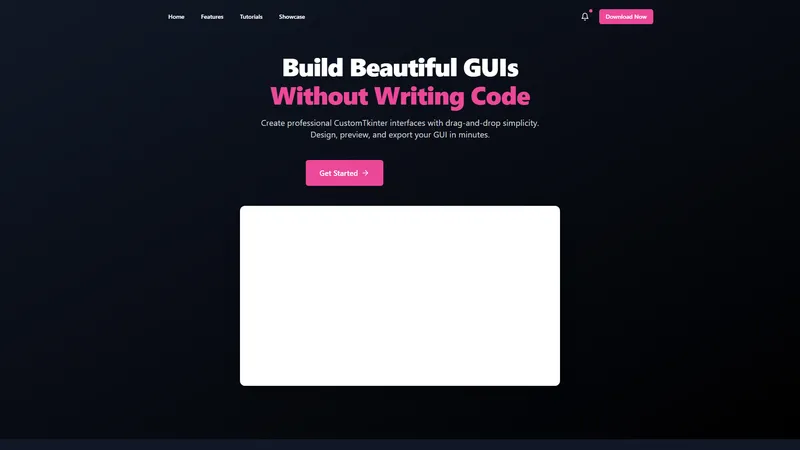
Buildfy is a professional GUI builder designed to simplify the creation of CustomTkinter interfaces through an intuitive drag-and-drop interface. With Buildfy, users can design, preview, and export their graphical user interfaces (GUIs) in minutes, eliminating the need for extensive coding knowledge. The platform offers both a free version and a Pro version, catering to a wide range of users from beginners to advanced developers. The free version includes essential features like a widget selection panel, real-time preview, basic customization options, and theme switching between dark and light modes. The Pro version unlocks advanced functionalities such as premium widgets, project saving and loading, Python code export, and a smart grid system for precise alignment. Buildfy's versatile themes and intuitive interface make it an ideal tool for creating professional-grade GUIs for various applications, from simple forms to complex dashboards. The platform also provides example projects and tutorials to help users get started and stay updated with new features and updates. Buildfy is developed by Pratyush Mishra under the Proxlight brand and is available for download on Gumroad. With its focus on simplicity, efficiency, and versatility, Buildfy is positioned as a leading solution for GUI design in the CustomTkinter ecosystem.
Top Features
- Drag-and-drop GUI builder
- Real-time preview
- Dark/Light theme switching
- Basic and advanced widgets
- Project saving and loading
- Export to Python code
- Smart grid system
- Example projects
- Tutorials and documentation
- Regular updates and notifications
Simple Definition of Usecases
- A beginner developer uses Buildfy to create a simple form for a school project, leveraging the drag-and-drop interface and real-time preview to quickly design and test the GUI without writing any code.
- A UI/UX designer utilizes Buildfy's advanced widgets and smart grid system to create a complex dashboard for a client, ensuring precise alignment and professional aesthetics.
- A Python developer exports a GUI design to Python code using Buildfy's one-click export feature, saving time and effort in the development process.
- An educator incorporates Buildfy into a programming course, using the platform's tutorials and example projects to teach students about GUI design and CustomTkinter.
- A hobbyist explores Buildfy's versatile themes and intuitive interface to design a personal project, experimenting with different widgets and customization options to achieve the desired look and functionality.
User Reviews
Aarav Patel
Beginner Developer
"Buildfy has completely transformed the way I approach GUI design. As a beginner developer, I was intimidated by the idea of writing code for interfaces, but Buildfy's drag-and-drop interface made it so easy. The real-time preview feature is a game-changer, allowing me to see my changes instantly. I started with the free version and quickly upgraded to Pro for the advanced widgets and Python export feature. Highly recommend it to anyone looking to create professional GUIs without the hassle of coding."
Aarav Patel
Beginner Developer
"Buildfy has completely transformed the way I approach GUI design. As a beginner developer, I was intimidated by the idea of writing code for interfaces, but Buildfy's drag-and-drop interface made it so easy. The real-time preview feature is a game-changer, allowing me to see my changes instantly. I started with the free version and quickly upgraded to Pro for the advanced widgets and Python export feature. Highly recommend it to anyone looking to create professional GUIs without the hassle of coding."
Sophia Nguyen
UI/UX Designer
"I've been using Buildfy for a few months now, and it's been a great tool for my UI/UX design projects. The smart grid system ensures that all elements are perfectly aligned, and the dark/light theme switching is a nice touch. The only downside is that some advanced widgets are only available in the Pro version, but overall, it's a solid platform for GUI design."
Ethan Carter
Python Developer
"As a Python developer, I was looking for a way to streamline my GUI development process, and Buildfy has been a lifesaver. The ability to export my designs to Python code with one click has saved me so much time. The Pro version is definitely worth it for the project saving and loading features. I also appreciate the regular updates and new features that keep improving the platform."
Isabella Martinez
Educator
"I've been using Buildfy in my programming classes, and it's been a great tool for teaching students about GUI design. The tutorials and example projects are very helpful, and the intuitive interface makes it easy for students to get started. The only improvement I'd suggest is adding more educational resources and templates for different types of projects."
Liam O'Connor
Hobbyist
"Buildfy has been a fantastic tool for my personal projects. I love experimenting with different widgets and themes to create unique interfaces. The drag-and-drop interface is so intuitive, and the real-time preview makes it easy to see how my design will look. The Pro version is definitely worth it for the advanced features, but even the free version is great for getting started. Highly recommend it to anyone interested in GUI design."
Frequently Asked Questions
What is Buildfy?
Buildfy is a professional GUI builder that allows users to create CustomTkinter interfaces using a drag-and-drop interface, eliminating the need for extensive coding knowledge.
What does the free version of Buildfy include?
The free version of Buildfy includes basic widgets, real-time preview, basic customization options, and the ability to switch between dark and light themes.
What to expect in the Pro version of Buildfy?
The Pro version of Buildfy offers advanced widgets, project saving and loading, Python code export, and a smart grid system for precise alignment.
How to export a GUI design to Python code in Buildfy?
In Buildfy, you can export a GUI design to Python code by using the one-click export feature available in the Pro version.
How to switch between dark and light themes in Buildfy?
You can switch between dark and light themes in Buildfy by using the theme switching option available in the interface.
Is there a tutorial available for Buildfy?
Yes, Buildfy provides tutorials and example projects to help users get started with the platform.
Can I save and load projects in Buildfy?
Yes, the Pro version of Buildfy allows you to save and load projects, ensuring you never lose your work.
What are the system requirements for Buildfy?
Buildfy is designed to be lightweight and should work on most modern systems with Python installed. Specific requirements are not listed on the website.
Is Buildfy suitable for beginners?
Yes, Buildfy is designed to be user-friendly and is suitable for beginners who want to create GUIs without extensive coding knowledge.
Where can I download Buildfy?
Buildfy can be downloaded from the official Gumroad page linked on the Buildfy website.
Related AI Tools

Frequently Asked Questions
What is MaoMaoYu Top4 AI Tools Directory?
Top 4 AI — '4' means 'For', MaoMaoYu Top For AI Tools Directory - top4ai.com is building an ai tools directory that helps you get your favorite ai tools, free ai tools list. It can get best ai writing tools, best free ai tools for writing articles, content at scale ai detector, best ai email marketing tools, ai paraphrasing tools, best ai seo tools, ai study tools, 'pearson' and 'ai' and 'study tools', ai generator tools, ai hashtags generator tools, best ai tools for research, ai art tools, ai music tools, ai video editing tools, ai pair coding tools, ai photo tools, ai tools for detecting photoshopped imagers, best ai tools for start up companies who are researching their market and more here.
How to found your ai tools in MaoMaoYu Top4 AI tools directory?
1. Open top4ai.com.
2. Explore the ai tools in the MaoMaoYu Top4 AI tools directory.
3. Click the ai tools that you need to get the detail and visit it.
What are the main features of MaoMaoYu Top4 AI Tools Directory?
1. Explore a simple definition of AI tools and discover how to fast find the perfect one for your needs. Streamline your workflow with the right AI solution.
2. Intelligent Search Engine: Thinking of what you think, saving you time, saving you trouble
Is it free to submit ai tools to MaoMaoYu Top4 AI Tools Directory?
Yes, it's free currently.
What's the categories list of AI Tools that MaoMaoYu Top4 AI Tools Directory support?
We will support all kinds of AI Tools later. Please wait for a few days.
What's the frequency for the up of AI tools in MaoMaoYu Top4 AI Directory?
The list of AI tools will be updated daily.
Is it support QuillBot, GPT-4o or Sora AI here?
You can get the QuillBot, GPT-4o or Sora AI tool here. Here is the introduction of GPT-4o and Sora video, and you can visit the website of the tools.
Troubleshooting
If the content aren't appearing, try a different browser, clear your cache. If issues persist, contact us at support@top4ai.com | support@maomaoyu.coffee.
What are the usage rights of the AI tools?
MaoMaoYu Top4 AI Tools Directory is just the AI Directory for AI tools. The usage rights of the AI tools are based on the AI tools' website.